Review: New Features in Google Messages for Android Users
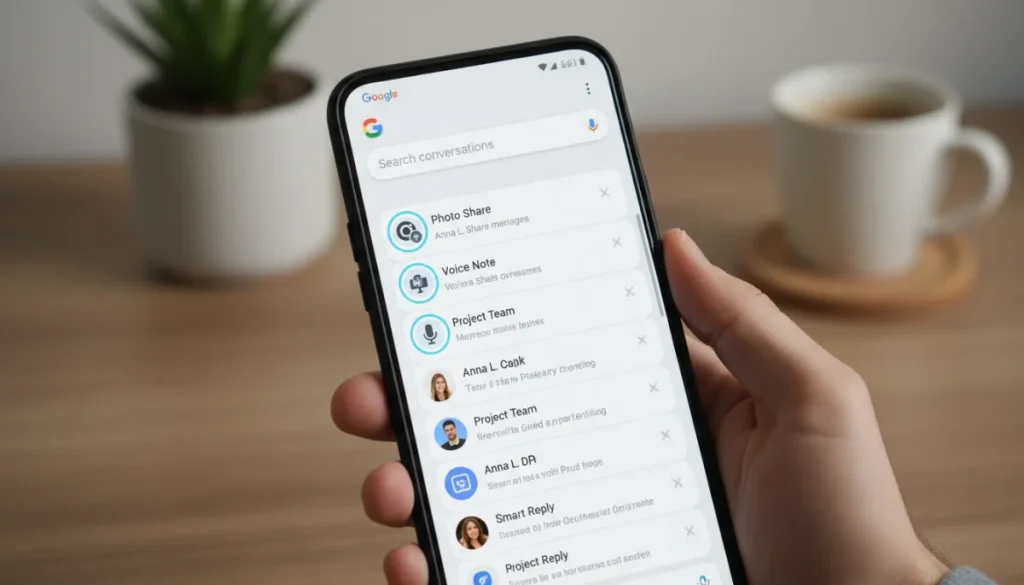
Google Messages has significantly upgraded its functionality, offering Android users advanced communication tools, including robust RCS enhancements and improved privacy, to redefine the mobile messaging landscape.
For Android users, staying connected means relying on efficient and feature-rich messaging applications. In this comprehensive Review: New Features in Google Messages for Android Users, we’ll explore the recent updates that are transforming how we communicate. Google Messages has consistently pushed the boundaries, aiming to deliver a seamless and secure experience that rivals traditional SMS and other popular chat platforms.
The evolution of RCS: beyond basic texting
Google’s commitment to modernizing mobile communication is most evident in its continuous enhancement of Rich Communication Services (RCS) within Google Messages. This isn’t just about sending texts anymore; it’s about a richer, more interactive experience that brings smartphone capabilities directly into your messaging app. The latest updates have significantly broadened the scope of what RCS can do, making conversations more engaging and functional for Android users across the globe.
These advancements position Google Messages as a formidable competitor in the messaging arena, providing a unified platform for both traditional SMS and advanced chat features. The goal is to bridge the gap between basic text messaging and the sophisticated functionalities found in dedicated chat applications, all while maintaining a familiar and accessible interface.
Enhanced media sharing capabilities
One of the most noticeable improvements in Google Messages’ RCS integration is the overhaul of media sharing. Users can now send high-resolution photos and videos without the typical compression that degrades quality. This means your cherished memories shared with friends and family retain their original clarity and vibrancy, making conversations more visually appealing.
- High-quality photos: Send pictures in their original resolution, preserving detail.
- Uncompressed videos: Share videos without pixelation or quality loss, ideal for capturing moments.
- Larger file sizes: Increased limits for sharing various media types, accommodating diverse content.
- Faster transfers: Optimized protocols ensure quicker delivery of larger media files.
Read receipts and typing indicators
While not entirely new, the reliability and integration of read receipts and typing indicators have been refined. These subtle cues play a crucial role in managing expectations during conversations, letting you know when your message has been seen and when a response is imminent. This fosters a more natural and fluid conversational flow, reducing ambiguity and enhancing real-time interaction.
The consistent functionality of these indicators across various networks and devices demonstrates Google’s dedication to a unified RCS experience. It removes the frustration often associated with inconsistent delivery statuses found in older messaging protocols, providing users with greater transparency and control over their communications.
In conclusion, the evolution of RCS within Google Messages is a game-changer for Android users. It elevates the messaging experience from simple text exchanges to a dynamic, media-rich platform, setting a new standard for mobile communication. These enhancements ensure that conversations are not only more engaging but also more informative and visually appealing.
Privacy and security at the forefront
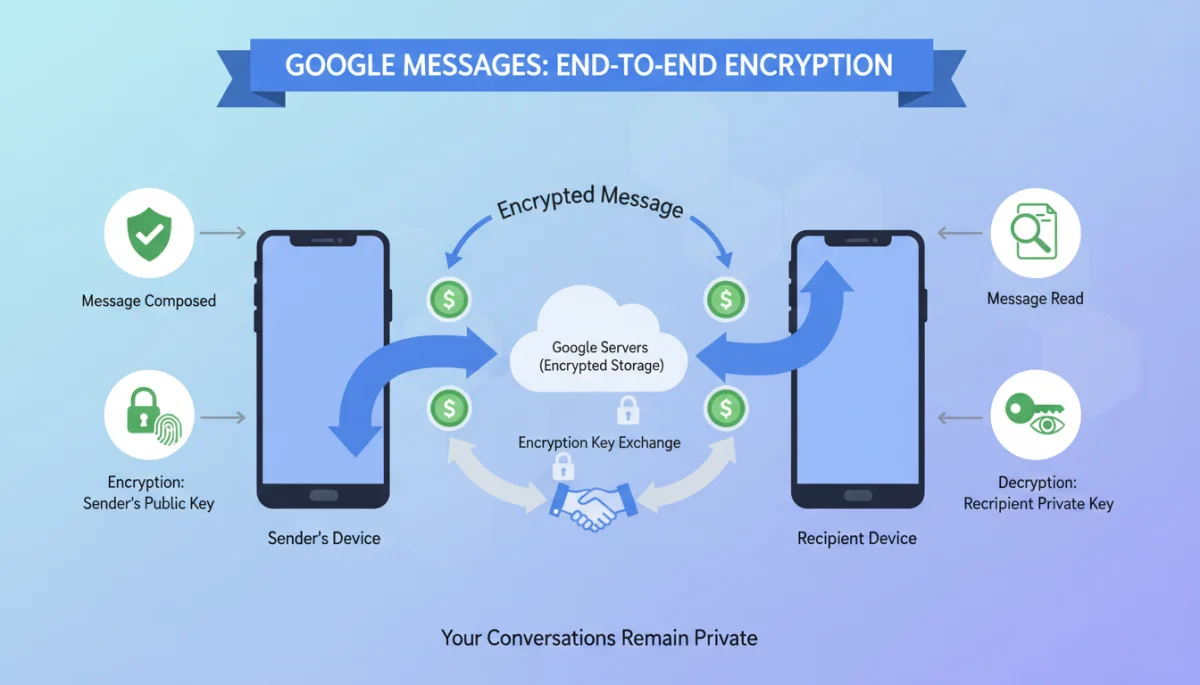
In an era where digital privacy is paramount, Google Messages has made significant strides in bolstering its security features. Recognizing the growing concerns over data protection and surveillance, Google has implemented robust measures to ensure that your conversations remain private and secure. These updates are not just about compliance; they reflect a genuine commitment to user trust and confidentiality, making Google Messages a more reliable platform for sensitive communications.
The focus on security extends beyond mere encryption, encompassing a holistic approach to user data protection. From enhanced controls to transparent policies, Google is working to empower users with greater agency over their personal information within the messaging ecosystem.
End-to-end encryption (E2EE) expansion
The most impactful security update is the widespread implementation of end-to-end encryption for all eligible RCS conversations. This means that messages sent between two Google Messages users with RCS enabled are encrypted from the moment they leave your device until they reach the recipient’s, ensuring that only the sender and receiver can read them. Not even Google can access the content of these encrypted messages.
- Default for RCS: E2EE is now automatically enabled for one-on-one RCS chats.
- Group chat rollout: Google is actively working on extending E2EE to group RCS conversations.
- Enhanced privacy: Protects messages from eavesdropping and unauthorized access.
- User confidence: Provides peace of mind knowing conversations are secure.
Improved spam protection and blocking
Google Messages has also refined its spam detection and blocking capabilities. Leveraging advanced AI and machine learning algorithms, the app can now more effectively identify and filter out unwanted messages, reducing the clutter of spam and phishing attempts. Users have more granular control over blocking numbers and reporting suspicious activity, contributing to a cleaner and safer messaging environment.
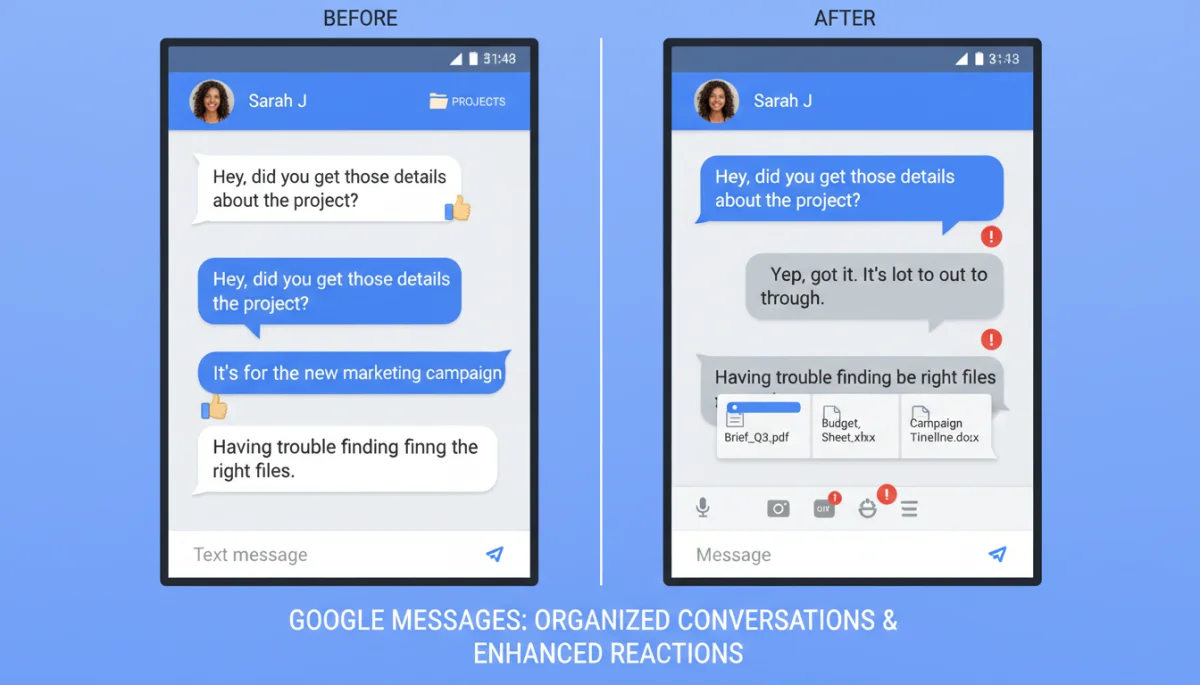
The proactive approach to spam protection not only safeguards users from nuisance messages but also helps prevent potential security threats. By minimizing exposure to malicious links and unsolicited content, Google Messages reinforces its role as a secure communication channel.
Ultimately, the enhanced privacy and security features in Google Messages underscore Google’s dedication to protecting its users. The widespread adoption of E2EE and sophisticated spam protection mechanisms are crucial steps towards creating a trustworthy and impenetrable messaging platform for Android users.
Smart replies and AI-powered conveniences
Google Messages is increasingly integrating artificial intelligence to make conversations more efficient and intuitive. These AI-powered conveniences, particularly smart replies, are designed to save users time and effort, allowing for quicker responses and a more streamlined communication flow. The goal is to anticipate user needs and provide helpful suggestions that enhance the overall messaging experience, making interactions feel more natural and less cumbersome.
These smart features go beyond simple automation, adapting to individual user habits and conversational contexts. They represent a significant step towards a more intelligent messaging platform that understands and responds to the nuances of human communication.
Contextual smart replies
Smart replies have become more sophisticated, offering contextually relevant suggestions based on the content of incoming messages. Whether it’s a quick “Yes,” “No,” or a more elaborate phrase like “I’ll be there in 5 minutes,” these suggestions are designed to fit seamlessly into the conversation. The AI learns from your past responses and conversational patterns, making its suggestions increasingly accurate and personalized over time.
- Time-saving: Quickly respond without typing full sentences.
- Personalized suggestions: AI learns from your unique communication style.
- Diverse responses: Offers a range of options, from simple affirmations to short phrases.
- Multilingual support: Smart replies are available in multiple languages, catering to a global user base.
Suggested actions and information extraction
Beyond replies, Google Messages now intelligently suggests actions based on message content. If a message contains an address, it might suggest opening Google Maps. If it includes a date and time, it could prompt you to create a calendar event. This proactive assistance turns your messaging app into a personal assistant, anticipating your needs and streamlining tasks directly from your conversations.
This integration of suggested actions transforms Google Messages from a mere communication tool into a productivity hub. It minimizes the need to switch between apps, keeping you focused and efficient within the messaging interface. The ability to extract and act upon information directly from conversations significantly enhances user convenience.
In essence, the AI-powered smart replies and suggested actions in Google Messages are redefining convenience in mobile communication. They streamline interactions, save time, and integrate useful functionalities directly into your chat, making every conversation more productive and effortless.
Enhanced customization and personalization
Recognizing that messaging is a highly personal experience, Google Messages has introduced a suite of new customization options, allowing users to tailor their app to better reflect their preferences and personality. These enhancements go beyond simple aesthetic changes, offering deeper control over how messages are displayed, organized, and interacted with. The aim is to create a more engaging and visually appealing environment that enhances the overall user experience.
Personalization is not just about making the app look good; it’s about making it feel like an extension of the user, facilitating more comfortable and efficient communication. These features ensure that each user can craft a messaging experience that truly suits their individual style and needs.
Bubble colors and chat themes
Users can now personalize individual chat conversations with distinct bubble colors and themes. This allows for a quick visual distinction between different chats, making it easier to identify contacts and prioritize conversations. The expanded color palette and theme options provide a fresh and vibrant way to express individuality within the app, moving beyond the standard blue and grey.
- Individual chat customization: Assign unique colors and themes to specific contacts.
- Visual organization: Easily differentiate between personal and professional chats.
- Expressive themes: Choose from a wider range of visual styles to match your mood.
- Dynamic changes: Themes can adapt based on system dark/light mode settings.
Custom notification settings per contact
Another significant addition is the ability to set custom notification sounds and vibrations for individual contacts. This granular control allows users to instantly recognize who is messaging them without even looking at their phone. It’s a practical feature that helps manage communication flow, ensuring that important messages stand out while less urgent ones can be handled at leisure.
This level of notification customization empowers users to control interruptions more effectively, striking a balance between staying connected and maintaining focus. It reduces notification fatigue and helps in prioritizing incoming communications, making the messaging experience less intrusive and more user-centric.
The enhanced customization and personalization options in Google Messages offer users greater control over their messaging environment. These features contribute to a more enjoyable, efficient, and uniquely tailored communication experience, allowing the app to truly adapt to the user’s lifestyle.
Integration with other Google services
Google Messages is increasingly becoming a central hub for communication, seamlessly integrating with other Google services to provide a more cohesive and powerful user experience. This integration extends the app’s functionality beyond simple messaging, transforming it into a versatile tool for managing various aspects of your digital life. The goal is to reduce app switching and consolidate essential functions within a single, familiar interface.
This strategic integration not only enhances convenience but also leverages the vast ecosystem of Google’s offerings, making Google Messages an even more indispensable tool for Android users. It reflects a broader vision of interconnected services working harmoniously to simplify daily tasks.
Google Photos integration for media sharing
Sharing photos and videos has become even smoother with deeper integration with Google Photos. Instead of attaching media from your device’s gallery, you can now directly access your Google Photos library within Google Messages. This ensures that you can easily share high-quality media, including those stored in the cloud, without having to download them first. It’s a significant convenience for users who rely on Google Photos for their media management.
This direct integration eliminates unnecessary steps and ensures that media shared is always of the highest available quality. It streamlines the process of sharing memories and important visual information, making conversations more dynamic and visually rich.
Calendar and Google Assistant hooks
Google Messages now features more prominent hooks into Google Calendar and Google Assistant. As mentioned with suggested actions, if a message contains details about an event, the app can prompt you to add it to your calendar. Similarly, you can invoke Google Assistant directly from within a conversation to perform tasks, set reminders, or get information, all without leaving the chat interface.
- Event creation: Quickly add dates and times from chats to your Google Calendar.
- Assistant commands: Use voice or text commands for tasks directly in messages.
- Information retrieval: Ask Assistant questions and get answers within the conversation.
- Reminders and alerts: Set up notifications based on chat content via Assistant.
These integrations turn Google Messages into a powerful productivity tool, allowing users to manage their schedules and access information effortlessly. By bringing the capabilities of Google Photos, Calendar, and Assistant directly into the messaging experience, Google is creating a truly unified and intelligent communication platform.
Accessibility improvements and inclusive design
Google’s commitment to accessibility is evident in the latest updates to Google Messages, ensuring that the app is usable and enjoyable for everyone, regardless of their abilities. These improvements are not just about compliance; they reflect an inclusive design philosophy that prioritizes universal access. By addressing the needs of a diverse user base, Google Messages aims to create a communication platform that is truly equitable and user-friendly for all.
The focus on accessibility ensures that individuals with visual, auditory, or motor impairments can navigate and utilize the app effectively, fostering a more inclusive digital environment. These thoughtful enhancements demonstrate a deep understanding of user diversity and a dedication to meeting varied needs.
Enhanced screen reader support
For users who rely on screen readers, Google Messages has significantly improved its compatibility and descriptive elements. More UI elements are now correctly labeled and announced, providing a clearer and more comprehensive understanding of the app’s interface and message content. This ensures a smoother and more intuitive navigation experience for visually impaired users.
- Detailed UI descriptions: Clearer announcements for buttons, icons, and menus.
- Contextual message reading: Screen readers provide better context for message content.
- Improved navigation: Easier to move between conversations and app sections.
- Customizable speech rates: Users can adjust the speed of screen reader output.
Adjustable text sizes and contrast options
Users can now fine-tune text sizes within conversations, making messages more legible for those with visual impairments or simply those who prefer larger text. Additionally, enhanced contrast options are available, improving readability in various lighting conditions and for users with certain visual challenges. These adjustments allow for a more comfortable and less strenuous reading experience.
The ability to customize text and contrast settings empowers users to optimize their visual experience, reducing eye strain and making the app more comfortable to use for extended periods. This level of personalization is crucial for promoting long-term usability and user satisfaction.
In summary, the accessibility improvements and inclusive design principles applied to Google Messages ensure that the platform is welcoming and functional for all users. These thoughtful updates reinforce Google’s dedication to creating a truly universal communication tool that serves the needs of every individual, promoting a more connected and equitable digital world.
Looking ahead: what’s next for Google Messages?
The continuous stream of updates to Google Messages indicates a clear trajectory for the app: to become the definitive messaging solution for Android users, offering a comprehensive, secure, and intelligent communication experience. Google’s strategy is not just about catching up with competitors but about innovating and setting new standards for what a mobile messaging app can achieve. This forward-looking approach suggests that even more exciting developments are on the horizon, promising to further enrich the user experience.
The commitment to evolving Google Messages is driven by user feedback, technological advancements, and the ever-changing landscape of digital communication. Users can anticipate a future where their messaging app is even more integrated, intuitive, and indispensable.
Continued RCS expansion and innovation
Expect to see further expansion of RCS capabilities, potentially including more interactive features for businesses, enhanced group chat functionalities, and even deeper integration with Google Assistant for advanced conversational AI. The goal is to make RCS a truly universal standard, providing a rich messaging experience that transcends device limitations and carrier networks.
- Business messaging tools: More features for brands to interact with customers.
- Advanced group features: Enhanced polls, shared activities, and collaborative tools.
- Cross-platform compatibility: Efforts to ensure seamless RCS experience across all Android devices.
- New media formats: Support for emerging media types and interactive content.
More AI-driven features and personalization
Artificial intelligence will continue to play a pivotal role in shaping Google Messages. Future updates might include more predictive capabilities, even smarter content suggestions, and AI-powered tools for organizing and summarizing conversations. The app could become even more adept at understanding user intent and proactively offering assistance, making communication almost effortless.
Personalization will also likely deepen, with more granular controls over themes, fonts, and even interaction styles. The aim is to make Google Messages not just a tool, but a truly personal communication companion that adapts to every user’s unique preferences and communication habits, providing an experience that feels tailor-made.
The future of Google Messages looks promising, with a clear focus on innovation, user-centric design, and seamless integration. As Google continues to invest in RCS, AI, and personalization, Android users can look forward to an even more advanced, secure, and enjoyable messaging experience that will undoubtedly redefine mobile communication for years to come.
| Key Feature | Brief Description |
|---|---|
| RCS Enhancements | Improved high-quality media sharing, reliable read receipts, and typing indicators for richer conversations. |
| Enhanced Privacy | Widespread end-to-end encryption for one-on-one chats and advanced spam protection mechanisms. |
| AI-Powered Tools | More contextual smart replies and intelligent suggested actions directly within conversations. |
| Deeper Integrations | Seamless connections with Google Photos, Calendar, and Google Assistant for unified productivity. |
Frequently asked questions about Google Messages
RCS (Rich Communication Services) is a modern communication protocol that upgrades standard SMS texting. It allows for richer features like high-quality media sharing, read receipts, and typing indicators, making conversations more interactive and akin to dedicated chat apps. Its importance lies in providing a unified, advanced messaging experience for Android users.
Google Messages has expanded end-to-end encryption (E2EE) to all eligible one-on-one RCS conversations. This means your private chats are secure from sender to receiver. While E2EE is a default for these chats, Google is still working on rolling it out for group RCS conversations to ensure comprehensive privacy for all users.
Smart replies use AI to suggest quick, contextually relevant responses based on incoming messages. They learn from your conversational patterns over time, becoming more personalized. While you can’t directly customize the suggested phrases, their adaptability ensures they often fit your style, helping you respond faster and more efficiently without extensive typing.
Google Messages integrates deeply with several Google services. You can directly share high-quality media from Google Photos, and the app offers suggested actions to add events to Google Calendar. Additionally, you can invoke Google Assistant from within chats to perform various tasks, enhancing productivity and streamlining your digital interactions within a single app.
The new accessibility features in Google Messages, such as enhanced screen reader support and adjustable text sizes/contrast options, aim to make the app usable for everyone. These improvements ensure that individuals with visual impairments or other specific needs can navigate and interact with the app comfortably and effectively, promoting a more inclusive communication experience for all Android users.
Conclusion
In conclusion, the latest updates to Google Messages represent a significant leap forward for Android users, transforming the application into a robust, secure, and highly intelligent communication platform. From the expanded capabilities of RCS, offering richer media sharing and more dynamic conversations, to the critical enhancements in privacy and security with widespread end-to-end encryption, Google is clearly prioritizing user experience and trust. The integration of AI-powered smart replies and suggested actions streamlines daily interactions, making messaging more efficient and intuitive, while deeper connections with other Google services like Photos and Calendar create a cohesive digital ecosystem. Furthermore, the thoughtful inclusion of accessibility improvements ensures that Google Messages is an inclusive tool for all. These innovations collectively position Google Messages not just as a competent alternative to other messaging apps, but as a leading force in modern mobile communication, continually evolving to meet the demands of a connected world and setting a high bar for future messaging platforms.
