Messaging App Hacks for Professionals: Boost Productivity Now

Implementing strategic messaging app hacks for professionals can significantly enhance communication efficiency, streamline workflows, and ultimately boost overall productivity in today’s fast-paced work environments.
In today’s hyper-connected professional world, messaging apps have transitioned from mere social tools to indispensable instruments for workplace communication. However, simply using them isn’t enough; mastering messaging app hacks for professionals is crucial to truly unlock their potential for enhanced productivity and streamlined workflows. This article delves into a comprehensive guide to transform your digital communication from chaotic to controlled, ensuring every message contributes to your professional goals.
Mastering Notification Management for Focused Work
Notifications, while intended to keep us informed, often become significant distractions, fragmenting our focus throughout the workday. Effectively managing these alerts is paramount for maintaining concentration and deep work sessions. Professionals must adopt a proactive approach to control notification flow rather than being controlled by it.
Customizing Alerts for Priority Communications
Many messaging apps offer granular control over notifications, allowing you to prioritize certain contacts or groups. This means you can mute less urgent conversations while ensuring you’re immediately alerted to critical messages. It’s about creating a hierarchy of importance for your incoming communications.
- Identify critical contacts and projects that require immediate attention.
- Set custom notification sounds or vibrations for high-priority alerts.
- Utilize ‘Do Not Disturb’ modes with exceptions for urgent contacts.
- Disable notifications for non-essential group chats or channels during focused work blocks.
Beyond simple muting, explore app-specific features like ‘silent notifications’ or ‘summary notifications’ that bundle less urgent alerts. This allows you to review them at your convenience without constant interruptions. The goal is to create an environment where you decide when and how to engage with messages, rather than being constantly pulled away from your tasks.
Ultimately, mastering notification management is a cornerstone of effective digital communication. By strategically configuring your messaging app settings, you can significantly reduce distractions, improve your focus, and allocate your cognitive resources more effectively to demanding professional tasks, leading to higher quality output and reduced stress.
Leveraging Automation and Integrations for Efficiency
The true power of modern messaging apps extends beyond simple text exchange; it lies in their ability to integrate with other professional tools and automate routine tasks. For professionals, this means a significant reduction in manual effort and a boost in overall operational efficiency.
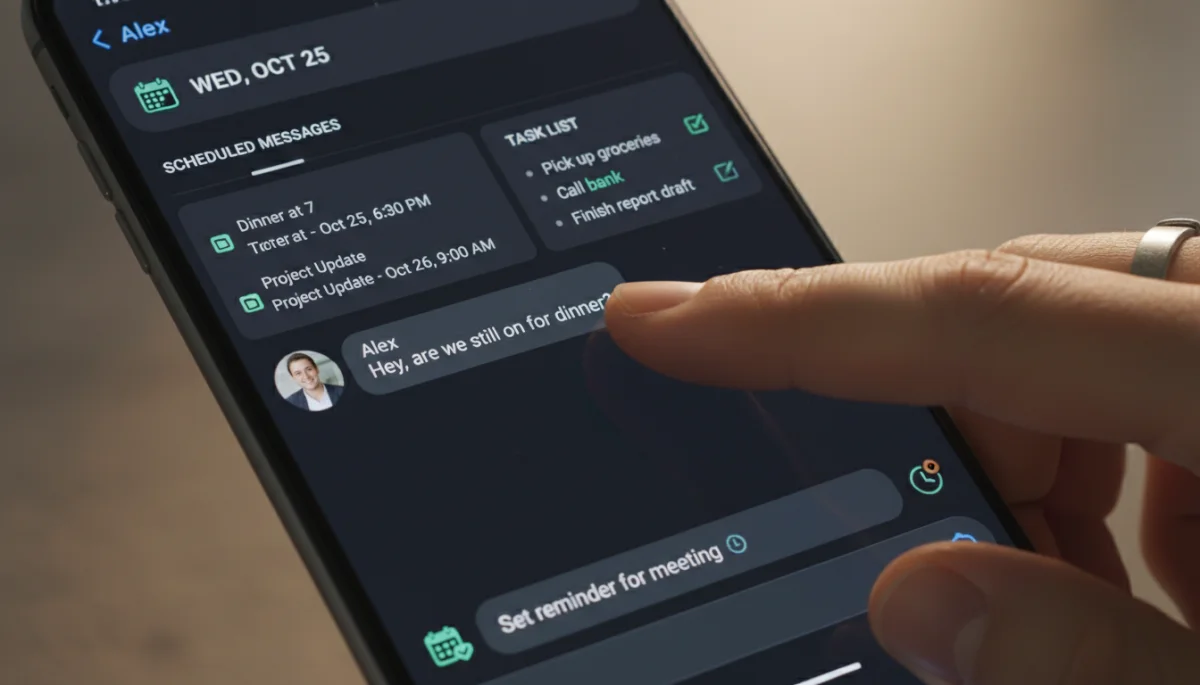
Many popular messaging platforms now offer robust APIs and native integrations with project management software, CRM systems, and calendar applications. This interconnectedness allows for a seamless flow of information and actions across your digital workspace.
Streamlining Workflow with App Integrations
Integrating your messaging app with other business tools can transform how you manage projects and communicate updates. For instance, receiving notifications from your project management tool directly in your team chat ensures everyone stays informed without switching applications. This reduces context switching, a major drain on productivity.
- Connect project management tools (e.g., Asana, Trello) to receive task updates in chat.
- Integrate calendar apps (e.g., Google Calendar, Outlook) to schedule meetings and send reminders.
- Use CRM integrations to get customer updates or sales alerts directly in your messaging channels.
- Automate routine messages or reminders using built-in scheduling features or third-party bots.
Consider using bots or custom commands within your messaging app to automate repetitive actions. Need to pull a report? A simple command could fetch it and post it in the relevant channel. Want to schedule a meeting? A bot can check team availability and propose times. These automations free up valuable time that can be redirected to more strategic initiatives.
By actively exploring and implementing the automation and integration capabilities of your messaging apps, you are not just communicating; you are building a more intelligent and efficient digital ecosystem. This strategic approach ensures that your messaging platform acts as a central hub for productivity, rather than just a communication channel.
Organizing Conversations and Channels Effectively
In the professional landscape, cluttered messaging apps can quickly become overwhelming, making it difficult to find critical information or follow important discussions. Effective organization of conversations and channels is not just about tidiness; it’s about optimizing information retrieval and ensuring that no vital detail is lost in the digital noise.
Most modern messaging platforms provide features designed to help users categorize and prioritize their chats. Utilizing these features systematically can dramatically improve your ability to navigate your communications and maintain clarity.
Implementing Channel-Based Communication Strategies
For team-based work, establishing clear, topic-specific channels is a game-changer. Instead of one large group chat where all discussions intermingle, create separate channels for different projects, departments, or even specific discussion topics. This ensures that conversations remain focused and relevant to the participants in each channel.
- Create dedicated channels for each project, team, or client.
- Use clear, descriptive channel names to indicate their purpose.
- Archive inactive channels to reduce clutter without losing historical data.
- Establish guidelines for channel usage to maintain order and focus.
Beyond channels, many apps allow for pinning important conversations, starring key messages, or creating custom folders for chats. These tools act as digital filing systems, enabling quick access to frequently needed information or ongoing discussions. Regularly reviewing and organizing your chat list prevents it from becoming an unmanageable scroll-fest.
Furthermore, encourage your team to adopt consistent naming conventions for channels and threads. This collective effort in organization amplifies the benefits for everyone, making information sharing and retrieval a more intuitive and less time-consuming process. A well-organized messaging environment fosters transparency and reduces the likelihood of miscommunication.
By implementing robust organizational strategies for your messaging app conversations and channels, you transform a potentially chaotic tool into a highly efficient information hub. This structured approach allows professionals to quickly locate relevant discussions, contribute effectively, and maintain a clear overview of their various commitments and projects.
Utilizing Advanced Messaging Features for Collaboration
Modern messaging apps are no longer just for sending quick texts; they are sophisticated collaboration platforms offering a suite of advanced features designed to enhance team cooperation and productivity. Professionals who delve into these functionalities can significantly improve how they work together, share information, and manage tasks.
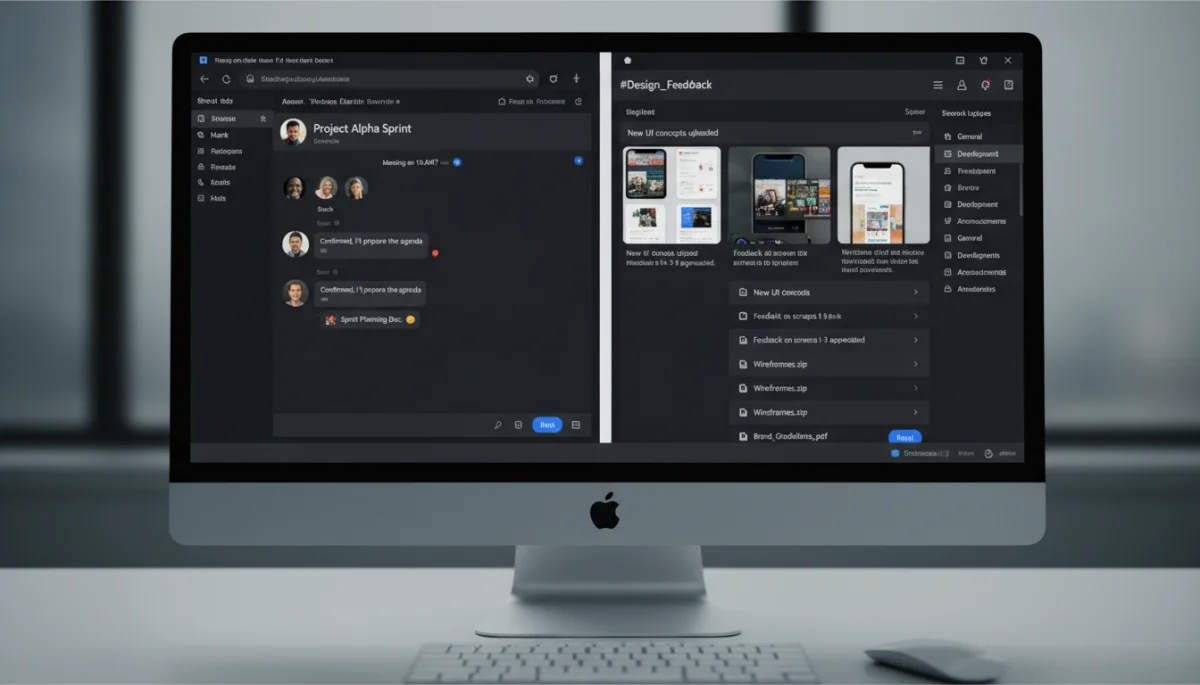
Features like threaded replies, shared documents, polls, and video conferencing capabilities are built into many leading messaging applications. Understanding and strategically applying these tools can make a substantial difference in project execution and team cohesion.
Enhancing Teamwork with Threaded Conversations and Shared Files
Threaded replies are invaluable for keeping discussions organized within a larger channel. Instead of new messages getting lost in a stream, replies are nested under the original message, making it easy to follow specific topics. This is particularly useful in busy group chats where multiple conversations might be happening simultaneously.
- Use threaded replies to keep discussions focused on specific points.
- Share documents directly within chats for instant feedback and version control.
- Conduct quick polls to make team decisions efficiently.
- Utilize built-in video and audio calls for impromptu meetings and quick check-ins.
Many apps also offer robust file-sharing capabilities, often with integration to cloud storage services. This means you can share documents, spreadsheets, and presentations directly within your conversations, ensuring everyone has access to the latest versions. Some apps even allow for real-time collaborative editing of shared files, further streamlining teamwork.
Furthermore, features like ‘read receipts’ or ‘reactions’ can provide quick feedback without cluttering conversations with unnecessary text. For larger teams or projects, the ability to create announcements or broadcast messages ensures that critical information reaches everyone efficiently, bypassing individual message fatigue.
By proactively leveraging these advanced messaging features, professionals can foster a more collaborative and productive team environment. These tools facilitate clearer communication, faster decision-making, and a more integrated approach to project management, ultimately driving better outcomes for the entire team.
Implementing Security and Privacy Best Practices
In an era where data breaches and privacy concerns are paramount, professionals must treat the security and privacy of their messaging app communications with the utmost seriousness. Ignoring these aspects can lead to sensitive information leakage, reputational damage, and non-compliance with data protection regulations.
Many messaging apps offer a range of security features, from end-to-end encryption to two-factor authentication. Understanding and activating these protections is a fundamental responsibility for anyone using these platforms for professional purposes.
Protecting Sensitive Information with Encryption and Authentication
End-to-end encryption (E2EE) is the gold standard for secure messaging, ensuring that only the sender and intended recipient can read messages. Always opt for apps that offer E2EE by default, especially when discussing confidential client information, project details, or internal strategies.
- Always enable two-factor authentication (2FA) for all your messaging apps.
- Use strong, unique passwords for each app, distinct from other online accounts.
- Be cautious of phishing attempts; never click suspicious links or download unknown attachments.
- Understand and configure privacy settings to control who can see your online status or profile information.
Beyond technical safeguards, cultivate good habits. Avoid discussing highly sensitive information in public or unsecured Wi-Fi networks. Be mindful of who is in earshot when using voice or video calls. Regularly review your app’s privacy policy to stay informed about how your data is handled and shared.
For organizations, establishing clear communication policies regarding data sensitivity and acceptable messaging platforms is crucial. Training employees on these best practices can significantly reduce the risk of accidental data exposure and ensure a consistent approach to digital security across the board.
By diligently implementing security and privacy best practices, professionals can ensure their messaging app communications remain confidential and protected. This proactive approach not only safeguards sensitive information but also builds trust, demonstrating a commitment to responsible data handling in all professional interactions.
Optimizing Communication Etiquette and Best Practices
While technology provides the tools for communication, effective professional messaging hinges on adherence to proper etiquette and established best practices. The way we communicate through messaging apps can profoundly impact clarity, efficiency, and professional relationships. Poor etiquette can lead to misunderstandings, frustration, and a perceived lack of professionalism.
Developing a consistent approach to digital communication, both personally and within a team, is essential for maximizing the benefits of messaging apps while minimizing their potential pitfalls.
Crafting Clear and Concise Professional Messages
The fast-paced nature of messaging apps often encourages brevity, but this should not come at the expense of clarity. Professional messages should be direct, to the point, and contain all necessary information without being verbose. Avoid jargon where possible, or explain it if your audience may not be familiar.
- Be concise and get straight to the point, especially for urgent matters.
- Use full sentences and proper grammar to avoid ambiguity.
- Avoid excessive use of emojis or informal language in professional contexts.
- Respect response times; not all messages require an immediate reply.
Consider the timing of your messages. Sending non-urgent messages late at night or during weekends can be disruptive. Utilize features like ‘scheduled messages’ to deliver communications during appropriate work hours. Similarly, be mindful of group chat dynamics; avoid ‘replying all’ unnecessarily or engaging in off-topic discussions in professional channels.
Establishing internal guidelines for team communication can also be highly beneficial. This might include preferred channels for different types of communication (e.g., email for formal announcements, messaging for quick updates), expected response times, and standards for tone and content. A collective agreement on these practices ensures everyone is on the same page.
By optimizing communication etiquette and adhering to best practices, professionals can transform their messaging app interactions into highly effective and respectful exchanges. This thoughtful approach fosters a positive communication culture, reduces misinterpretations, and ultimately enhances overall team productivity and morale.
Integrating Messaging with Time Management Strategies
The constant influx of messages can easily derail even the most meticulously planned workday. For professionals, integrating messaging app usage with effective time management strategies is not just a hack; it’s a necessity for maintaining focus, meeting deadlines, and preventing burnout. This involves consciously structuring when and how you engage with your communication tools.
Instead of allowing messaging apps to dictate your schedule, you must assert control over them. This means setting boundaries, batching communication, and prioritizing tasks independently of incoming messages.
Batching Communications and Designated Response Times
One of the most effective strategies is to ‘batch’ your communication. Instead of checking messages every few minutes, designate specific times throughout the day to review and respond. This could be 15-30 minutes at the start of the day, before lunch, and before logging off.
- Schedule specific blocks in your calendar for checking and responding to messages.
- Use ‘Do Not Disturb’ modes during focused work periods to eliminate interruptions.
- Communicate your availability and expected response times to colleagues.
- Utilize ‘read later’ or ‘unfollow’ features for non-urgent conversations to review them at your leisure.
By batching communications, you reduce context-switching, which is a major drain on cognitive resources. Each time you switch from a deep work task to answer a message, it takes a significant amount of time to regain your previous level of concentration. Batching minimizes these interruptions, allowing for sustained periods of focused work.
Furthermore, leverage features like ‘status messages’ or ‘away messages’ to inform colleagues of your availability. This sets clear expectations and reduces the pressure to respond instantly. Some advanced apps even allow you to set working hours, automatically muting notifications outside those times, further enforcing work-life boundaries.
Integrating messaging app usage with robust time management strategies empowers professionals to regain control over their workday. This disciplined approach ensures that communication serves productivity, rather than hindering it, leading to a more organized, less stressful, and ultimately more successful professional life.
| Key Hack | Benefit for Professionals |
|---|---|
| Notification Control | Reduces distractions, improves focus, and allows for deep work sessions. |
| App Integrations | Automates tasks, streamlines workflows, and centralizes information flow. |
| Channel Organization | Ensures focused discussions, easy information retrieval, and reduced clutter. |
| Security & Privacy | Protects sensitive data, builds trust, and ensures compliance with regulations. |
Frequently Asked Questions About Messaging App Hacks
To minimize distractions, utilize ‘Do Not Disturb’ modes or customize notification settings to only allow alerts from critical contacts. Consider batching your message checks to specific times throughout the day, rather than responding instantly to every notification. This helps maintain focus on important tasks.
Effective organization involves creating topic-specific channels for different projects or teams. Use clear naming conventions and archive inactive channels. Many apps also offer features like pinning important chats or starring key messages for quick access, reducing overall clutter and improving information retrieval.
Integrating your messaging app with tools like project management software or calendars allows for automated updates and centralized information. You can receive task notifications, schedule meetings, or get CRM alerts directly in your chat, reducing context switching and streamlining workflows significantly.
Always enable two-factor authentication and use strong, unique passwords. Prioritize apps with end-to-end encryption for sensitive discussions. Be wary of phishing attempts and review privacy settings regularly. Avoid discussing confidential information on public Wi-Fi networks to safeguard data.
Yes, always strive for clarity and conciseness. Avoid excessive emojis or overly informal language in professional contexts. Be mindful of message timing, using scheduled delivery for non-urgent communications. Establish team guidelines for channel usage and expected response times to foster efficient and respectful interactions.
Conclusion
Embracing these messaging app hacks for professionals is more than just learning new tricks; it’s about fundamentally reshaping your approach to digital communication. By prioritizing effective notification management, leveraging automation, organizing conversations strategically, upholding security, and practicing proper etiquette, you can transform your messaging apps from potential time sinks into powerful productivity engines. The modern professional landscape demands not just participation in digital communication, but mastery of it. Implementing these strategies will not only streamline your workflow but also enhance your focus, protect sensitive information, and cultivate a more efficient and less stressful work environment, ultimately contributing to greater professional success.
