Messaging App Integrations for Streamlined Workflows

Messaging app integrations are transforming how teams collaborate, offering powerful tools to automate tasks, centralize communication, and significantly enhance overall workflow efficiency in today’s fast-paced digital environment.
In today’s dynamic business landscape, efficient communication and streamlined workflows are paramount for success. The advent of messaging app integrations has revolutionized how teams collaborate, transforming disparate tools into a cohesive ecosystem. This article will explore how integrating your favorite messaging platforms with other essential business applications can unlock unprecedented levels of productivity and foster a more connected, agile workforce.
The Pivotal Role of Messaging Apps in Modern Business
Messaging applications have transcended their initial role as simple communication tools, evolving into central hubs for business operations. They provide real-time interaction, foster quick decision-making, and create a sense of immediacy that traditional communication methods often lack. Understanding their fundamental importance is the first step toward leveraging their full potential through integration.
These platforms are no longer just for casual chats; they are the digital water coolers and virtual meeting rooms where ideas are born, problems are solved, and projects move forward. Their ubiquity in personal and professional lives makes them an ideal foundation for building more efficient workflows.
Beyond Basic Chat: The Evolution of Business Messaging
Modern business messaging apps offer a suite of features far beyond simple text exchanges. They now include file sharing, video conferencing, screen sharing, and even project management functionalities. This evolution has set the stage for seamless integration with other tools, creating a truly unified digital workspace.
- Real-time Collaboration: Instant feedback and collective problem-solving.
- Centralized Communication: All discussions in one accessible place.
- Enhanced Accessibility: Connect from anywhere, on any device.
- Reduced Email Clutter: Shifting internal dialogues away from overflowing inboxes.
The ability to communicate instantly and share information effortlessly within these platforms has become indispensable. This immediate feedback loop is crucial for agile development, rapid response to customer inquiries, and maintaining project momentum.
In conclusion, messaging apps are no longer just supplementary tools; they are foundational to modern business communication. Their advanced features and pervasive use make them prime candidates for integration, promising significant gains in efficiency and operational fluidity.
Understanding Messaging App Integrations
Messaging app integrations refer to the process of connecting your communication platforms with other software applications used in your business. This connection allows data, notifications, and actions to flow seamlessly between different tools, eliminating manual transfers and reducing context switching. It’s about creating a harmonious digital ecosystem where your apps work together, not in isolation.
The core idea behind these integrations is to break down silos between different software solutions. Instead of logging into multiple platforms to get updates or perform tasks, you receive consolidated information and can trigger actions directly from your messaging interface.
Types of Integrations and Their Functions
Integrations can take various forms, from simple notification forwarding to complex two-way data synchronization. Each type serves a specific purpose in enhancing workflow efficiency.
- Notification Integrations: Receive alerts from project management tools, CRM systems, or monitoring software directly in your chat channels.
- Command-based Integrations: Execute tasks in other applications using simple commands within your messaging app, such as creating a new task or pulling a report.
- Data Synchronization: Ensure information is consistent across connected platforms, updating records in one app when changes occur in another.
- Automated Workflows: Set up triggers and actions to automate routine processes, like archiving completed tasks or sending welcome messages to new clients.
These integrations can range from straightforward connectors available off-the-shelf to custom-built solutions tailored to specific business needs. The key is to identify the pain points in your current workflows and find integrations that address them effectively.
In essence, messaging app integrations transform your communication platform into a powerful control center for your entire digital workflow. By understanding the different types, businesses can strategically implement solutions that truly elevate their operational capabilities.
Key Benefits of Integrating Messaging Apps into Workflows
The advantages of adopting messaging app integrations extend far beyond mere convenience. They fundamentally reshape how teams operate, leading to tangible improvements in productivity, collaboration, and overall business performance. These benefits are critical for any organization striving for efficiency in a competitive market.
By bringing disparate systems together, businesses can create a more cohesive and responsive environment. This synergy reduces friction points and allows employees to focus more on high-value tasks rather than administrative overhead.
Enhanced Productivity and Efficiency
One of the most immediate and impactful benefits is the significant boost in productivity. By centralizing notifications and allowing actions directly from messaging apps, employees spend less time switching between applications and more time on core tasks.
- Reduced Context Switching: Employees stay within their primary communication tool, minimizing distractions.
- Automated Routine Tasks: Repetitive actions are handled by integrations, freeing up human resources.
- Faster Information Access: Critical data and updates are instantly available where teams communicate.
- Streamlined Approval Processes: Approvals can be granted directly from a chat, accelerating decision-making.
This automation and centralization lead to a more fluid work experience, where bottlenecks are minimized and information flows freely. Teams can react quicker to changes and complete projects in a more timely manner.
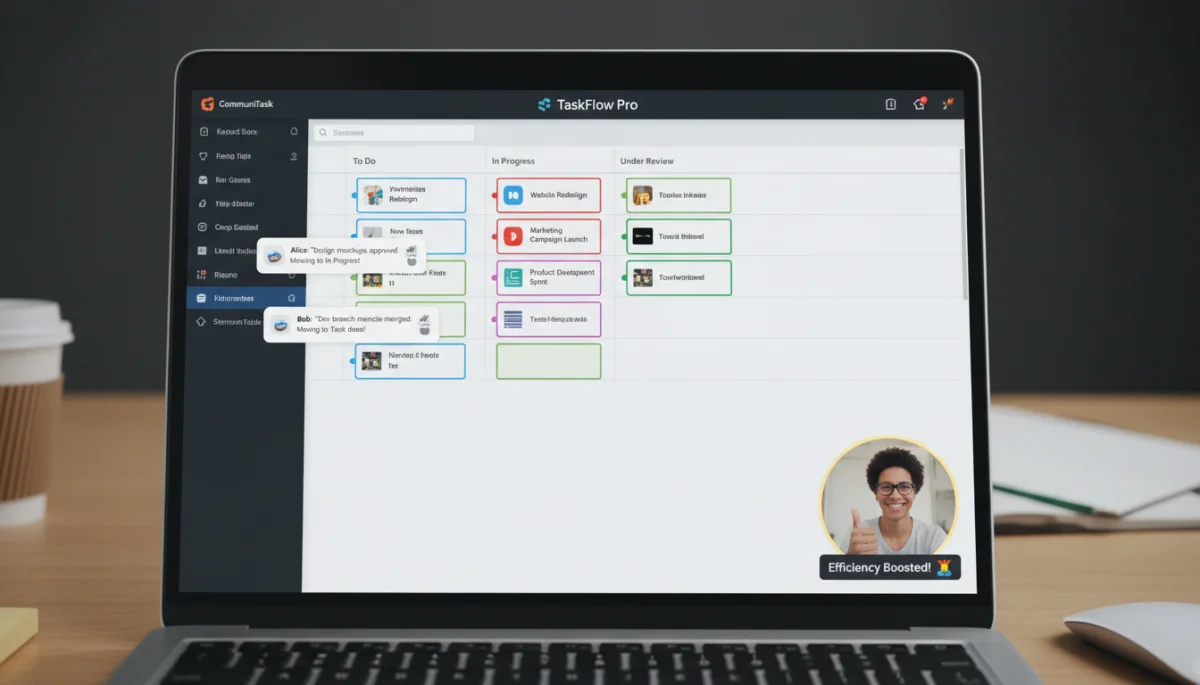
Improved Collaboration and Communication
Integrations foster a more collaborative environment by ensuring everyone has access to the most current information and can contribute effortlessly. Communication becomes more transparent and efficient, reducing misunderstandings.
When project updates, customer feedback, and sales leads are automatically posted into relevant chat channels, every team member is kept in the loop without needing to actively seek out information. This proactive communication prevents delays and ensures alignment across departments.
The ability to discuss and act on information within the same interface eliminates the need for separate emails or meetings for every small update, making team interactions more dynamic and productive. This seamless flow of information strengthens team cohesion and collective problem-solving.
Ultimately, messaging app integrations are not just about connecting software; they are about connecting people and processes in a way that drives superior results. The benefits ripple through every aspect of an organization, from individual output to collective strategic execution.
Popular Messaging Apps and Their Integration Capabilities
The market offers a diverse range of messaging applications, each with its unique strengths and integration ecosystems. Choosing the right platform and understanding its capabilities is crucial for successful implementation of messaging app integrations. This section explores some of the leading contenders.
Different apps cater to different organizational needs, from large enterprises requiring robust security and extensive features to smaller teams prioritizing ease of use and quick setup. Evaluating these options based on your specific requirements is key.
Slack: A Hub for Workflows
Slack is renowned for its extensive integration marketplace, offering thousands of apps that connect with virtually every business tool imaginable. Its channel-based communication structure makes it ideal for organizing discussions around specific projects or departments.
- Extensive App Directory: Integrates with project management (Asana, Trello), CRM (Salesforce), development tools (GitHub), and more.
- Customizable Workflows: Use Workflow Builder to automate routine tasks and notifications without coding.
- Bots and Webhooks: Create custom bots for specific functions or receive updates via webhooks.
Slack’s flexibility and open API make it a powerful central hub for many organizations. Its ability to create custom integrations further enhances its adaptability to unique business processes.
Microsoft Teams: The Enterprise Solution
Microsoft Teams is deeply integrated within the Microsoft 365 ecosystem, making it a natural choice for organizations already utilizing Microsoft products. It combines chat, video meetings, file storage, and application integration into a single platform.
Teams offers seamless connections with SharePoint, OneNote, Planner, and Dynamics 365, providing a unified experience for users. Its robust security features and compliance capabilities appeal to larger enterprises and regulated industries.
The ability to co-edit documents directly within Teams, coupled with its comprehensive meeting features, positions it as a strong contender for businesses seeking an all-in-one productivity suite.
WhatsApp Business API: Connecting with Customers
While Slack and Teams focus on internal communication, the WhatsApp Business API is a powerful tool for customer engagement. It allows businesses to integrate WhatsApp messaging into their existing CRM, customer support, and marketing platforms.
- Customer Service Automation: Automate responses, send notifications, and handle inquiries.
- Sales and Marketing: Send personalized offers, order confirmations, and delivery updates.
- CRM Integration: Sync customer conversations directly into your CRM for a complete view of interactions.
The WhatsApp Business API transforms a widely used personal messaging app into a potent business communication channel, enabling companies to meet customers where they are most comfortable.
Choosing the right messaging app for your integration strategy depends on your team’s size, existing tech stack, and specific communication needs. Each platform offers unique advantages, and a careful evaluation will ensure the best fit for your organization.
Implementing Messaging App Integrations: Best Practices
Successful implementation of messaging app integrations requires more than just connecting two pieces of software; it demands a strategic approach, careful planning, and continuous optimization. Adhering to best practices ensures that your integrations deliver maximum value and truly streamline your workflows.
Without a thoughtful strategy, integrations can lead to information overload or underutilization, defeating their purpose. It’s about creating intelligent connections that serve specific business objectives.
Strategic Planning and Goal Setting
Before diving into technical implementation, clearly define what you aim to achieve with integrations. Identify the specific pain points in your current workflows that these integrations are intended to solve.
- Identify Key Workflows: Map out current processes to pinpoint inefficiencies.
- Define Clear Objectives: What specific outcomes do you expect (e.g., reduce email volume by X%, accelerate response times)?
- Choose Relevant Integrations: Select tools that directly address your identified needs and align with your existing tech stack.
A well-defined strategy acts as a roadmap, guiding your choices and ensuring that every integration serves a purpose. Avoid integrating for the sake of it; focus on solutions that provide tangible benefits.
Phased Implementation and User Adoption
Instead of a big-bang approach, implement integrations in phases. Start with a pilot group or a single, high-impact workflow to test the waters and gather feedback. User adoption is critical for success, so training and support are paramount.
Provide comprehensive training sessions and clear documentation. Highlight the benefits for individual users, showing them how the integration will make their jobs easier and more efficient. Address concerns and be open to feedback to refine the integration process.
Encourage champions within teams to promote the new tools and share success stories. A smooth rollout ensures that employees embrace the change rather than resisting it, maximizing the return on your integration investment.
Security, Privacy, and Maintenance
Data security and user privacy are paramount when integrating applications, especially when sensitive information is involved. Ensure that all integrated platforms comply with relevant data protection regulations and that access controls are properly configured.
Regularly review and update your integrations to ensure they remain secure and functional. As apps evolve, integrations may require adjustments to maintain optimal performance. Proactive maintenance prevents disruptions and ensures continuous workflow efficiency.
By following these best practices, businesses can harness the full power of messaging app integrations, transforming their operational capabilities and fostering a more productive and collaborative work environment.
Common Challenges and Solutions in Integration
While messaging app integrations offer immense benefits, their implementation can come with a set of challenges. Anticipating these hurdles and having proactive solutions in place is crucial for a smooth and successful integration journey. Understanding common pitfalls allows organizations to mitigate risks and maximize their investment in integrated workflows.
Ignoring potential challenges can lead to frustrated users, data inconsistencies, and ultimately, a failure to achieve the desired efficiency gains. A prepared approach is key to overcoming these obstacles.
Information Overload and Notification Fatigue
One of the most common challenges is the sheer volume of notifications that can result from integrating multiple apps. If not managed properly, this can lead to information overload and notification fatigue, where users start ignoring alerts, defeating the purpose of real-time updates.
Solution: Implement smart notification filtering and customization. Encourage teams to set up specific channels for different types of alerts and to mute non-essential notifications. Many messaging apps allow granular control over what alerts users receive and from which integrations. Prioritize critical updates and consolidate less urgent information into daily or weekly summaries.
Proper configuration and user education are essential to ensure that notifications are helpful, not overwhelming. This balance ensures that teams receive timely, relevant information without being constantly interrupted.

Data Security and Privacy Concerns
Integrating third-party applications means sharing data across different platforms, which raises legitimate concerns about security and privacy. Protecting sensitive business and customer information is paramount.
Solution: Conduct thorough due diligence on all third-party integration providers. Verify their security protocols, data handling policies, and compliance certifications (e.g., GDPR, HIPAA, SOC 2). Use secure authentication methods, such as OAuth, and ensure data encryption both in transit and at rest. Establish clear data governance policies for integrated systems.
Regular security audits and employee training on data protection best practices are also vital. By prioritizing security from the outset, organizations can leverage integrations without compromising sensitive information.
Integration Complexity and Maintenance
Setting up and maintaining complex integrations can be technically challenging, especially for organizations without dedicated IT resources. Compatibility issues, API changes, and software updates can break existing integrations.
Solution: Start with simpler, high-impact integrations and gradually expand. Utilize integration platforms as a service (iPaaS) like Zapier or Integromat (now Make) that simplify the connection process with pre-built connectors and visual workflow builders. For more complex needs, consider hiring specialized IT consultants or investing in in-house expertise.
Regularly monitor integration performance and set up alerts for failures. Establish a clear maintenance schedule to review and update integrations as necessary, ensuring they remain compatible with evolving software versions. Proactive maintenance minimizes downtime and ensures continuous workflow efficiency.
By addressing these common challenges head-on, businesses can successfully navigate the complexities of messaging app integrations, transforming potential obstacles into opportunities for growth and enhanced productivity.
Future Trends in Messaging App Integrations
The landscape of messaging app integrations is continuously evolving, driven by advancements in artificial intelligence, automation, and the ever-growing demand for seamless digital experiences. Staying abreast of these future trends is crucial for organizations looking to maintain a competitive edge and further optimize their workflows. The innovations emerging today will shape tomorrow’s communication and productivity tools.
These trends promise to make integrations even more intelligent, intuitive, and impactful, moving beyond simple data transfer to truly transformative capabilities that enhance decision-making and operational agility.
AI-Powered Bots and Virtual Assistants
The integration of artificial intelligence will take messaging app capabilities to the next level. AI-powered bots and virtual assistants will become more sophisticated, capable of handling complex queries, automating more intricate tasks, and providing predictive insights directly within chat interfaces.
- Intelligent Task Automation: Bots will proactively suggest actions based on conversation context, such as scheduling meetings or creating tasks.
- Advanced Data Retrieval: AI will be able to pull and synthesize information from multiple integrated systems more efficiently to answer complex questions.
- Personalized User Experiences: Virtual assistants will learn individual preferences and tailor interactions, making workflows more intuitive.
These intelligent agents will reduce the manual effort required for many routine tasks, allowing human employees to focus on more strategic initiatives. The shift from rule-based automation to AI-driven intelligence will be a game-changer.
Deeper Integration with Augmented Reality (AR) and Virtual Reality (VR)
As AR and VR technologies become more mainstream, we can expect to see deeper integrations with messaging apps, especially in fields like remote collaboration, design, and education. Imagine reviewing 3D models or conducting virtual meetings with integrated chat functionality.
This will create immersive collaborative environments where team members can interact with digital content and each other in highly engaging ways, all while staying connected through their preferred messaging platforms. The blending of physical and virtual workspaces will redefine remote work and creative processes.
Hyper-Personalization and Predictive Workflows
Future integrations will move towards hyper-personalization, anticipating user needs and proactively delivering relevant information or initiating workflows. This will be powered by advanced analytics and machine learning, which will analyze user behavior and preferences across integrated applications.
For example, a messaging app might automatically suggest a project update based on recent activity in a project management tool, or prompt a sales representative to follow up with a client after a specific interaction in the CRM. These predictive capabilities will make workflows significantly more efficient and less reactive.
The future of messaging app integrations is bright, promising a more intelligent, intuitive, and interconnected digital workspace. Businesses that embrace these emerging trends will be well-positioned to thrive in an increasingly automated and data-driven world.
| Key Aspect | Brief Description |
|---|---|
| Productivity Boost | Reduces context switching and automates routine tasks, leading to higher efficiency. |
| Enhanced Collaboration | Centralizes communication and information, fostering better team synergy and transparency. |
| Strategic Implementation | Requires clear goals, phased rollout, and robust security measures for optimal results. |
| Future Trends | AI, AR/VR, and hyper-personalization will further revolutionize integrated workflows. |
Frequently Asked Questions about Messaging App Integrations
Messaging app integrations connect communication platforms with other business software, allowing data and actions to flow between them. This creates a unified digital workspace, reducing manual effort and enhancing real-time information exchange for teams.
Integrations boost productivity by centralizing notifications, automating routine tasks, and minimizing context switching. Employees can receive updates and perform actions directly from their messaging app, streamlining workflows and saving valuable time.
Common challenges include information overload, data security concerns, and technical complexity. Solutions involve smart notification filtering, robust security protocols, and phased implementation with user training to ensure successful adoption.
Leading apps like Slack, Microsoft Teams, and the WhatsApp Business API offer extensive integration capabilities. Slack provides a vast app directory, Teams integrates deeply with Microsoft 365, and WhatsApp Business focuses on customer engagement through CRM connections.
Future trends include advanced AI-powered bots for intelligent automation, deeper integration with AR/VR for immersive collaboration, and hyper-personalization through predictive workflows. These innovations aim to make digital workspaces even more intuitive and efficient.
Conclusion
The journey towards optimized business operations is increasingly paved by sophisticated messaging app integrations. These powerful tools are not just about connecting software; they are about fostering a more cohesive, productive, and responsive organizational culture. By strategically implementing and managing these integrations, businesses can unlock unparalleled efficiency, enhance collaboration, and stay ahead in a rapidly evolving digital world. From reducing context switching to automating complex tasks, the benefits are clear and profound. As technology continues to advance, the role of intelligent integrations will only grow, making them an indispensable component of any forward-thinking business strategy.
