Configuring End-to-End Encryption on Messaging Platforms
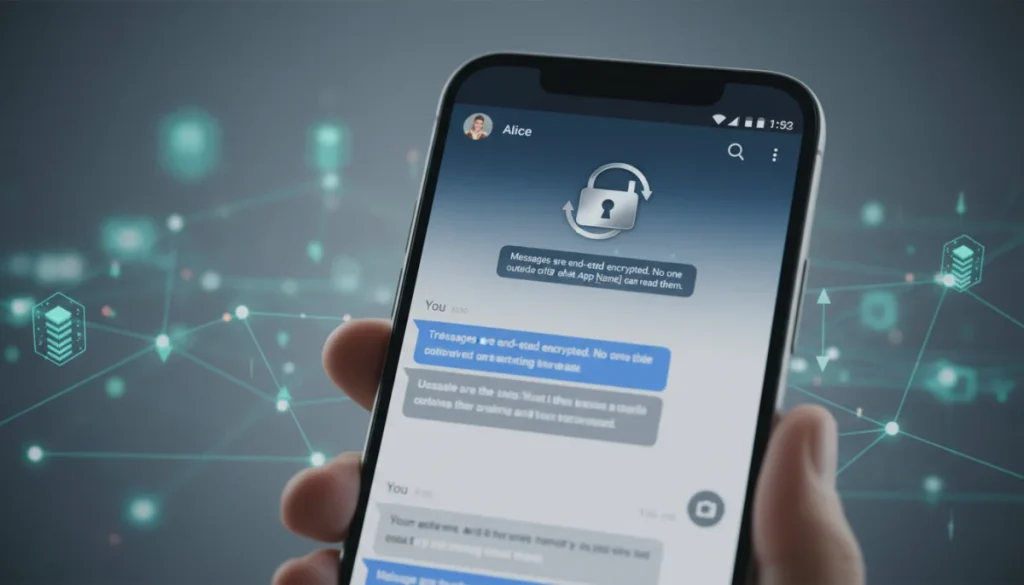
Configuring end-to-end encryption on messaging platforms is crucial for safeguarding personal and sensitive information by ensuring only the sender and intended recipient can read messages, preventing eavesdropping by third parties.
In an increasingly digital world, the need for private and secure communication has never been more critical. Understanding and implementing configuring end-to-end encryption on messaging platforms is paramount to protecting your personal conversations and sensitive data from prying eyes. This guide will walk you through the intricacies of E2EE and how to ensure your messages remain confidential.
Understanding End-to-End Encryption (E2EE) Fundamentals
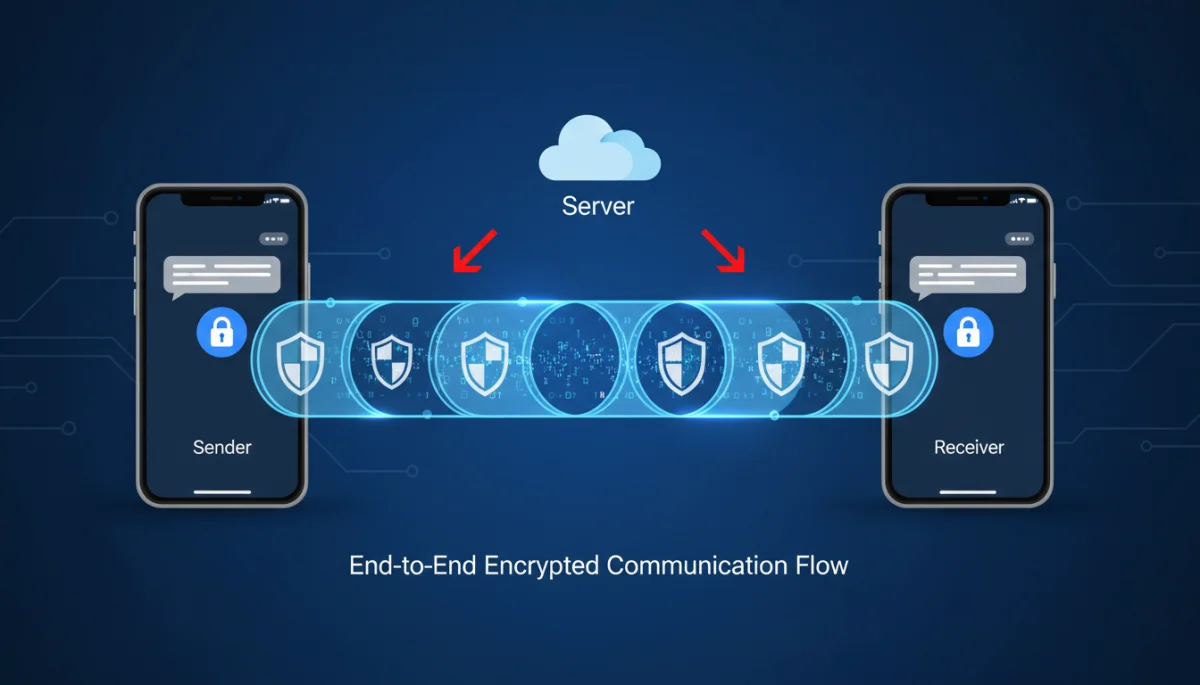
End-to-End Encryption, or E2EE, is a system of communication where only the communicating users can read the messages. In principle, it prevents potential eavesdroppers, including internet providers, application providers, and even governments, from accessing the cryptographic keys needed to decipher the conversation. This fundamental concept is the cornerstone of digital privacy today.
The magic of E2EE lies in its cryptographic design. When you send a message, it’s encrypted on your device and remains encrypted as it travels across networks and servers. It’s only decrypted when it reaches the recipient’s device. This means that at no point in transit, not even on the messaging platform’s servers, is your message accessible in plain text.
How E2EE Protects Your Data
E2EE employs a complex interplay of cryptographic keys to ensure privacy. Each user possesses a pair of keys: a public key and a private key. The public key can be shared freely, while the private key must remain secret. When you send a message, it’s encrypted using the recipient’s public key. Only the recipient’s corresponding private key can decrypt it.
- Key Exchange: Secure protocols like the Diffie-Hellman key exchange are often used to establish shared secret keys for each conversation.
- Symmetric Encryption: Once a shared secret is established, faster symmetric encryption algorithms are used to encrypt and decrypt the actual message content.
- Forward Secrecy: Many E2EE protocols incorporate forward secrecy, meaning that even if one session key is compromised, past and future messages remain secure.
Understanding these foundational elements is crucial for appreciating the robust security E2EE offers. It moves the trust from the service provider to the cryptographic algorithms themselves, empowering users with greater control over their digital privacy. This makes configuring end-to-end encryption on messaging platforms a critical step for anyone valuing their online security.
Choosing Messaging Platforms with Robust E2EE
Not all messaging platforms are created equal when it comes to security. While many claim to offer encryption, the implementation and scope can vary significantly. It’s vital to choose platforms that provide E2EE by default or offer it as a straightforward option for all communications, not just specific features.
When selecting a platform, consider its reputation for security, its transparency regarding encryption protocols, and whether its E2EE implementation has been independently audited. Platforms that are open about their cryptographic methods and have faced scrutiny from security experts tend to be more trustworthy.
Popular E2EE-Enabled Platforms
- Signal: Widely regarded as the gold standard for E2EE, Signal’s protocol is open-source and has been adopted by other platforms.
- WhatsApp: Owned by Meta, WhatsApp uses the Signal Protocol for all its messaging, calls, and media, providing E2EE by default.
- Telegram (Secret Chats): While standard Telegram chats are client-server encrypted, its ‘Secret Chats’ feature offers E2EE.
- iMessage: Apple’s iMessage provides E2EE for communications between Apple devices, though it’s important to note that iCloud backups can compromise this if not configured properly.
Each of these platforms has its own nuances in terms of feature set and user experience, but their commitment to E2EE is a unifying factor. Researching and understanding the specific encryption details of your chosen platform is a proactive step in configuring end-to-end encryption on messaging platforms effectively. Prioritizing platforms with strong, default E2EE is the first line of defense for your digital conversations.
Step-by-Step Configuration on Common Platforms
Once you’ve chosen a secure messaging platform, the next step is often to ensure E2EE is correctly configured. While many popular apps now offer E2EE by default, there are still settings you should check and understand to maximize your privacy and security. This section will guide you through the typical steps involved.
It’s important to remember that ‘configuring’ E2EE isn’t always about turning a switch on or off. For many modern apps, it’s about verifying its active status and understanding related security features. Regularly checking your app’s security settings can help you stay informed about any changes or new privacy-enhancing options.
Verifying E2EE in Signal
Signal is often cited for its strong E2EE. For Signal, E2EE is always on for all communications. However, you can verify the security of your conversations:
- Safety Number Verification: In a chat, tap on the contact’s name, then ‘Show Safety Number’. You can compare this number with your contact in person or via another secure channel to ensure you’re talking to the right person and that no Man-in-the-Middle attack has occurred.
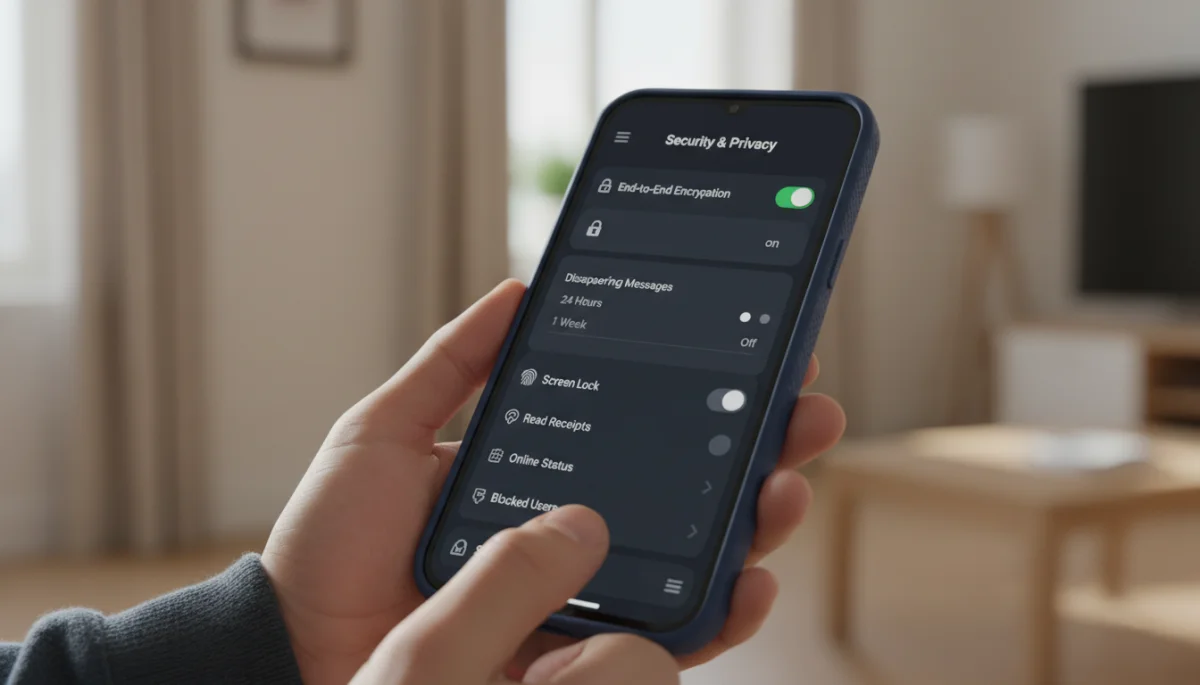
- Disappearing Messages: Configure messages to automatically disappear after a set time, adding another layer of privacy.
Ensuring E2EE in WhatsApp
WhatsApp also uses the Signal Protocol for E2EE by default. To verify:
- Security Code Verification: Open a chat, tap the contact’s name, then ‘Encryption’. You’ll see a QR code and a 60-digit number. You can scan your contact’s QR code or manually compare the numbers.
- Backup Settings: Be aware that WhatsApp backups to iCloud or Google Drive are not end-to-end encrypted by default, though WhatsApp has introduced an E2EE backup option. Ensure you enable this for complete protection.
Activating Secret Chats in Telegram
Telegram’s standard chats are not E2EE. To use E2EE, you must initiate a ‘Secret Chat’:
- Start a Secret Chat: From a contact’s profile, select ‘Start Secret Chat’. These chats are device-specific, do not allow forwarding, and support self-destructing messages.
- Screenshot Prevention: Secret Chats often prevent screenshots, adding another layer of security.
By actively checking these settings and understanding how E2EE works within each platform, you are effectively configuring end-to-end encryption on messaging platforms to suit your security needs. This proactive approach ensures your digital interactions are as private as possible.
Advanced E2EE Features and Best Practices
Beyond basic activation, many E2EE messaging platforms offer advanced features that further enhance privacy and security. Understanding and utilizing these options, combined with adopting sound best practices, can significantly bolster your digital communication defenses. It’s not just about what the app does, but how you use it.
Advanced features often include settings for disappearing messages, screenshot prevention, and multi-device management. Integrating these into your daily usage habits creates a more secure communication environment. Staying informed about new security updates and features from your chosen platforms is also a crucial best practice.
Leveraging Disappearing Messages
Disappearing messages, also known as ephemeral messaging, allow you to set a timer for messages to automatically delete themselves from both sender and recipient devices after they’ve been viewed. This feature is invaluable for sensitive information that doesn’t need to be permanently stored.
- Reduced Data Footprint: Minimizes the amount of sensitive data stored on devices and servers over time.
- Contextual Privacy: Ideal for sharing one-time pieces of information without leaving a lasting digital trace.
- Platforms Offering: Signal, WhatsApp, and Telegram Secret Chats all offer robust disappearing message functionalities.
Multi-Device Security and Verification
Using E2EE platforms across multiple devices requires careful attention to security. Each device should be linked securely, and you should regularly verify the integrity of these connections.
- Linked Devices: Ensure all linked devices (e.g., desktop clients) are authorized and physically secure.
- Session Management: Periodically review active sessions and revoke access for any unfamiliar or unused devices.
- Safety Number Checks: Re-verify safety numbers with contacts if you or they link a new device to their account.
Adopting these advanced features and best practices goes a long way in truly configuring end-to-end encryption on messaging platforms for maximum security. It transforms E2EE from a default setting into a powerful tool actively managed by the user, providing a comprehensive shield against digital intrusions.
Common Pitfalls and How to Avoid Them
Even with robust E2EE in place, users can inadvertently compromise their privacy through common mistakes or misunderstandings. Being aware of these pitfalls is just as important as knowing how to configure the encryption itself. A chain is only as strong as its weakest link, and often, that link can be user behavior.
Many of these vulnerabilities stem from a lack of awareness about how E2EE operates or the broader security ecosystem surrounding a messaging app. Educating yourself on these common issues is a crucial step in maintaining a secure communication posture.
Backups and Cloud Storage
One of the most frequent ways E2EE is undermined is through insecure backups. If your E2EE messages are backed up to a cloud service (like iCloud or Google Drive) without their own E2EE, then the cloud provider could potentially access your data. This effectively bypasses the end-to-end encryption of the messaging app itself.
- Enable E2EE Backups: If your messaging app offers E2EE for backups (like WhatsApp now does), ensure it’s enabled.
- Local Backups: Consider local backups on an encrypted device if available and you prefer not to use cloud services.
- Disable Backups: For highly sensitive communications, disabling backups entirely might be the safest option, though it carries the risk of data loss.
Phishing and Social Engineering
No amount of technical encryption can protect against human error. Phishing attacks and social engineering tactics aim to trick you into revealing sensitive information or installing malicious software, thereby compromising your device or accounts directly.
- Verify Senders: Always double-check the identity of anyone asking for sensitive information, even if they appear to be a trusted contact.
- Beware of Links: Be cautious of clicking on suspicious links or downloading attachments from unknown sources.
- Strong Passwords/PINs: Protect your device and app with strong, unique passcodes or PINs to prevent unauthorized physical access.
By understanding and actively avoiding these common pitfalls, users can significantly enhance the effectiveness of configuring end-to-end encryption on messaging platforms. It’s a continuous process of vigilance and informed decision-making that complements the technical safeguards provided by E2EE.
The Future of E2EE and Digital Privacy
The landscape of digital privacy and end-to-end encryption is constantly evolving. As technology advances and threats become more sophisticated, E2EE protocols and implementations must adapt. Staying informed about these developments is key to maintaining robust online security in the long term.
Innovations in cryptography, such as post-quantum encryption, are being researched to future-proof E2EE against potential threats from quantum computers. Regulatory pressures and debates around “backdoors” in encryption also continue to shape the environment in which these technologies operate. These discussions highlight the ongoing tension between privacy, security, and governmental access.
Emerging E2EE Technologies
The field of cryptography is dynamic, with continuous advancements aimed at making E2EE even more secure and user-friendly.
- Post-Quantum Cryptography: Researchers are developing new cryptographic algorithms designed to withstand attacks from future quantum computers, ensuring long-term security.
- Federated E2EE: Efforts are underway to enable E2EE across different messaging platforms, allowing users to communicate securely regardless of the app they use.
- Hardware-Based Security: Integrating E2EE more deeply into hardware could offer enhanced protection against certain types of attacks.
The Ongoing Debate: Privacy vs. Security
The discussion around E2EE often intersects with broader societal concerns about national security and law enforcement access. Governments in various countries have, at times, pushed for “backdoors” or weaker encryption to facilitate surveillance, citing concerns over criminal activity.
- User Privacy Advocate: Proponents of strong E2EE argue that weakening encryption undermines the fundamental right to privacy for all citizens and creates vulnerabilities that can be exploited by malicious actors.
- Law Enforcement Concerns: Authorities often express frustration that E2EE hinders their ability to investigate serious crimes, leading to calls for regulated access.
- Technical Challenges: Experts generally agree that creating a “backdoor” that only “good guys” can use is a cryptographic impossibility, as any vulnerability can be exploited by anyone.
As these debates continue, the importance of robustly configuring end-to-end encryption on messaging platforms remains paramount. Users play a vital role in advocating for strong privacy protections and choosing platforms that prioritize security without compromise. The future of digital privacy depends on both technological innovation and informed user choices.
Troubleshooting E2EE Issues and Maintaining Security
Even with careful configuration, you might occasionally encounter issues or have questions regarding your E2EE setup. Knowing how to troubleshoot common problems and consistently maintain your security posture is essential for long-term digital privacy. Proactive maintenance is key to preventing potential vulnerabilities.
Issues can range from verification errors to concerns about message delivery or perceived security breaches. Most reputable E2EE platforms provide extensive support documentation and community forums that can be invaluable resources for resolving problems and staying updated on security best practices.
Common E2EE Troubleshooting Steps
If you suspect an issue with your E2EE, there are several steps you can take to diagnose and resolve it:
- Verify Safety Numbers: If a security notification appears, or you suspect a compromise, immediately re-verify the safety number with your contact through an out-of-band channel (e.g., in person, a voice call).
- Update Your App: Ensure your messaging app is always updated to the latest version. Developers frequently release updates that patch security vulnerabilities and improve encryption protocols.
- Check Device Security: Ensure your device itself is secure. A compromised device (e.g., infected with malware) can undermine even the strongest E2EE. Use strong passcodes, keep your operating system updated, and consider antivirus software.
- Review Account Activity: Check your app’s settings for linked devices or active sessions and remove any unfamiliar ones.
Regular Security Maintenance
Maintaining E2EE security is an ongoing process, not a one-time setup. Implementing a routine for security checks can significantly enhance your protection:
- Periodic Safety Number Checks: Make it a habit to occasionally re-verify safety numbers with your most frequent contacts, especially after app updates or device changes.
- Backup Management: Regularly review your backup settings to ensure E2EE backups are enabled and functioning correctly, or that you are comfortable with your chosen backup strategy.
- Stay Informed: Follow reputable cybersecurity news sources and your messaging app’s official channels for security advisories and feature updates.
- Educate Contacts: Encourage your contacts to also adopt E2EE and follow best practices. Your security is often intertwined with theirs.
By proactively troubleshooting and committing to regular security maintenance, you ensure that your efforts in configuring end-to-end encryption on messaging platforms remain effective and resilient against evolving threats. This vigilance forms the bedrock of truly secure digital communication.
| Key Point | Brief Description |
|---|---|
| E2EE Fundamentals | Messages are encrypted on sender’s device and decrypted only on receiver’s, ensuring privacy from intermediaries. |
| Platform Selection | Choose apps like Signal or WhatsApp for default E2EE; use Telegram’s Secret Chats for secure conversations. |
| Configuration Steps | Verify safety numbers, enable E2EE backups, and utilize features like disappearing messages for enhanced privacy. |
| Avoiding Pitfalls | Guard against insecure cloud backups, phishing, and social engineering to maintain robust E2EE security. |
Frequently Asked Questions About E2EE
E2EE ensures that only you and the recipient can read your messages. The messages are encrypted on your device and can only be decrypted by the recipient’s device, meaning no third parties, including the messaging service provider, can access their content.
No, not all messaging apps enable E2EE by default for all communications. While apps like Signal and WhatsApp offer it by default, others like Telegram require you to initiate a ‘Secret Chat’ for E2EE. Always check your app’s settings.
You can verify security by comparing ‘safety numbers’ or QR codes with your contact. This process, usually found in the chat’s security settings, confirms that no unauthorized party has intercepted the cryptographic keys for your conversation.
Yes, if your messaging app backs up to cloud services (like iCloud or Google Drive) without its own E2EE for those backups, your messages could be vulnerable. Ensure you enable E2EE backup options if available, or consider disabling cloud backups for sensitive chats.
Disappearing messages automatically delete themselves from both sender and recipient devices after a set time or after being viewed. This reduces the digital footprint of sensitive conversations, preventing long-term storage and potential future access to the data.
Conclusion
Configuring end-to-end encryption on messaging platforms is a crucial step towards reclaiming and maintaining your digital privacy in an increasingly interconnected world. From understanding the cryptographic fundamentals to selecting the right platforms, activating advanced features, and diligently avoiding common pitfalls, every step contributes to a more secure communication experience. As technology evolves and the debates around privacy continue, an informed and proactive approach to E2EE remains your strongest defense. By embracing these practices, you not only protect your own conversations but also contribute to a broader culture of digital security and privacy for everyone.
