Notification Management in Communication Apps for Focus

Effective notification management in communication apps is crucial for maintaining focus and enhancing productivity, allowing users to minimize digital distractions and optimize their daily routines.
In our hyper-connected world, the constant barrage of alerts from messaging platforms can severely disrupt concentration and productivity. Understanding and implementing effective notification management in communication apps for focus is no longer a luxury but a necessity for anyone looking to reclaim their attention and optimize their daily output.
Understanding the Impact of Notification Overload
The digital age has brought unparalleled connectivity, but with it, a relentless stream of notifications. Every ping, buzz, or visual alert from communication apps like Slack, WhatsApp, or email clients pulls our attention away from the task at hand, often leading to a phenomenon known as ‘notification overload.’
This constant interruption isn’t just annoying; it has tangible cognitive costs. Each time we switch tasks due to a notification, our brain requires time and effort to re-engage with the original activity. This ‘context switching’ can significantly reduce efficiency and increase the likelihood of errors.
The Cognitive Cost of Constant Interruptions
Research consistently shows that frequent interruptions diminish our ability to concentrate deeply. This isn’t merely about losing a few seconds; it’s about the cumulative effect on our mental state and the quality of our work.
- Decreased Focus: Notifications fragment attention, making sustained concentration difficult.
- Increased Stress: The anticipation of new alerts can create a state of constant vigilance, leading to heightened anxiety.
- Reduced Productivity: Time spent recovering from interruptions adds up, decreasing overall output.
- Lower Quality Work: Fragmented attention often results in superficial engagement with tasks, impacting quality.
Furthermore, the psychological addiction to checking notifications, often fueled by the variable reward system similar to slot machines, exacerbates the problem. We become conditioned to expect a ‘reward’ (a new message, a like) with each alert, making it harder to resist checking.
In essence, mastering notification management isn’t just about silencing your phone; it’s about protecting your most valuable resource: your attention. By understanding the profound impact of these digital pings, we can begin to build strategies that foster a more focused and productive environment.
Establishing a Baseline: Auditing Your Current Notification Habits
Before implementing any changes, it’s crucial to understand your current notification landscape. An audit of your existing habits and app settings provides a clear picture of where the distractions originate and how they impact your day.
Start by observing your daily interactions with your devices. Pay attention to which apps send the most notifications, when they arrive, and how you typically react to them. This self-awareness is the first step toward effective notification management.
Identifying Your Notification Triggers
Many communication apps offer granular control over notification types, but often we leave them at default settings. Delving into these settings can reveal opportunities for significant improvement.
- App-Specific Settings: Review notifications for each communication app individually (e.g., email, chat, social media).
- Time-Based Patterns: Note when you receive the most notifications and if they align with your critical work periods.
- Reaction Analysis: Observe your immediate response to notifications – do you drop everything to check, or can you defer?
- Source Identification: Pinpoint which contacts or groups generate the most urgent vs. non-urgent alerts.
This audit might seem time-consuming, but the insights gained are invaluable. It helps you distinguish between essential alerts that require immediate attention and those that can wait, or even be disabled entirely. Without this baseline understanding, any attempts at notification management will be akin to shooting in the dark.
The goal here is not to eliminate all notifications, but to gain control over them. By systematically cataloging and analyzing your notification flow, you empower yourself to make informed decisions about what deserves your attention and when.
Leveraging Built-in Features for Enhanced Focus
Modern smartphones and communication apps come equipped with a suite of tools designed to help you manage notifications. Many users, however, overlook these powerful features, leaving them vulnerable to constant digital interruptions.
Familiarizing yourself with your device’s operating system and individual app settings is fundamental to regaining control. These tools are often intuitive, yet their impact on productivity can be profound.
Exploring ‘Do Not Disturb’ Modes and Focus Features
Both iOS and Android offer robust ‘Do Not Disturb’ (DND) or ‘Focus’ modes. These aren’t just about silencing your phone; they provide customizable environments that minimize distractions.
- Scheduled DND: Set specific times when notifications are automatically silenced, aligning with your work hours or sleep schedule.
- Whitelisted Contacts: Allow calls or messages from critical contacts to bypass DND, ensuring you don’t miss true emergencies.
- Focus Filters: Newer operating systems allow you to filter notifications, hide specific home screens, and even adjust app behavior based on your current ‘focus’ (e.g., Work, Personal, Sleep).
- App-Specific DND: Some communication apps (like Slack or Teams) have their own ‘Do Not Disturb’ settings that sync across devices, allowing you to mute channels or direct messages for set periods.
Beyond system-wide settings, dive into each communication app. Most offer detailed controls for how and when they notify you. You can often choose to disable sound, vibration, or even visual alerts for certain types of messages or conversations. For instance, in group chats, you might opt to only receive notifications when you are directly mentioned.
By actively configuring these built-in features, you create a personalized digital environment that respects your need for uninterrupted focus, allowing you to decide when and how you engage with incoming communications.
Strategic Approaches to App Notification Configuration
Once you understand the built-in features, the next step is to apply strategic configurations to your communication apps. This involves a thoughtful review of each app’s notification settings, prioritizing what truly needs your immediate attention.
The goal is to move from a reactive state, where notifications dictate your attention, to a proactive one, where you control the flow of information. This tailored approach is key for effective notification management in communication apps for focus.
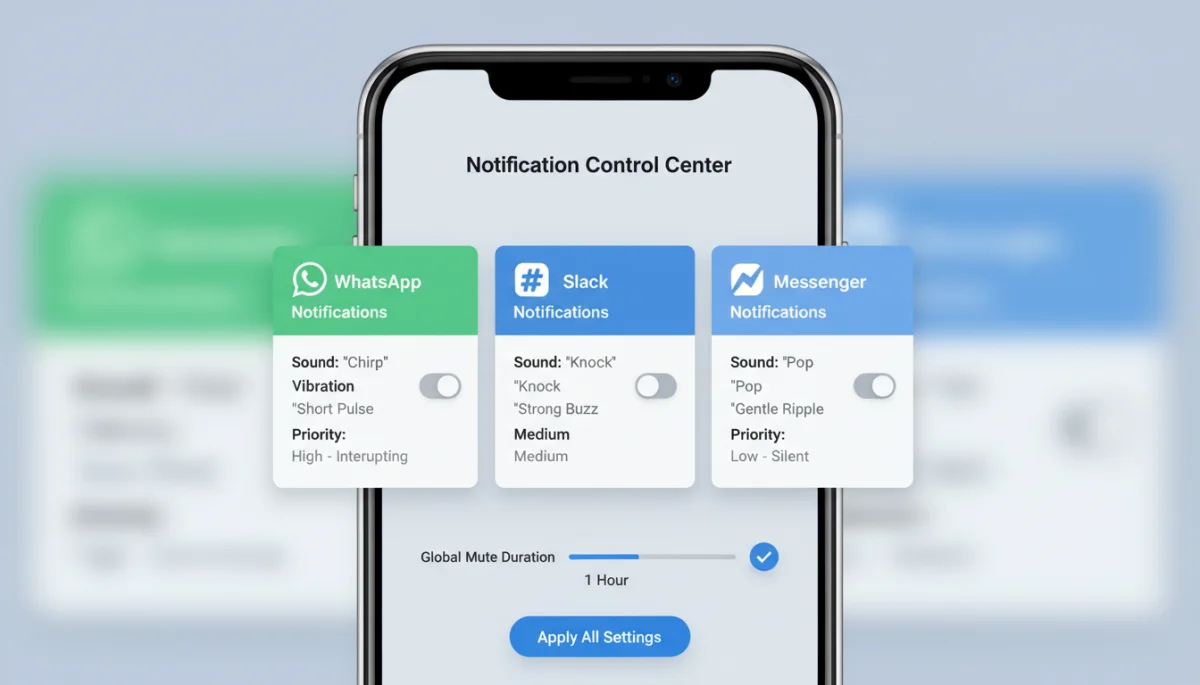
Customizing Alerts for Different Communication Channels
Not all communications are created equal. Your strategy should reflect this, assigning different notification priorities to different apps and even different types of messages within those apps.
- Tiered Notification System: Categorize your apps into tiers (e.g., urgent, important but not urgent, non-urgent) and adjust settings accordingly.
- Muting Non-Essential Groups: For large group chats that are not critical for your immediate work, mute notifications entirely or set them to ‘silent.’
- Disabling Previews: Turn off notification previews on your lock screen to avoid being drawn into messages unnecessarily.
- Vibration vs. Sound: For less urgent apps, consider turning off sound alerts and relying only on vibration, or vice-versa, depending on your preference and environment.
For email, consider using features like ‘smart inboxes’ or ‘priority inboxes’ that filter out promotional content, ensuring only important messages trigger an alert. In team communication tools like Slack, customize channel notifications to only alert you for direct mentions or keywords, rather than every message.
This strategic customization ensures that when a notification does come through, it’s more likely to be genuinely important, reducing the ‘boy who cried wolf’ effect and preserving your mental energy for focused work.
Implementing Digital Habits for Sustained Focus
Beyond technical configurations, cultivating specific digital habits is essential for long-term success in notification management. Technology provides the tools, but personal discipline and intentional behavior solidify the gains in focus and productivity.
These habits integrate seamlessly into your daily routine, transforming your relationship with your devices from one of constant reaction to one of mindful interaction. It’s about creating a conscious boundary between your work and your digital world.
Establishing ‘No-Notification’ Zones and Times
Designate specific periods or physical spaces as ‘no-notification’ zones. This could be during deep work sessions, important meetings, or even personal time like meals or family interactions.
- Dedicated Focus Blocks: Schedule uninterrupted blocks of time in your calendar where all non-essential notifications are silenced.
- Device Separation: Keep your phone out of arm’s reach or in a different room during focused tasks to reduce the temptation to check.
- Digital Detox Periods: Regularly take short breaks from all digital communications to reset your mind and reduce digital fatigue.
- Batch Processing: Instead of reacting to each notification as it arrives, set aside specific times to check and respond to messages. This could be once every hour, or a few times a day.
This habit of batch processing is particularly powerful. By grouping your responses, you minimize context switching and dedicate focused attention to communication, rather than letting it constantly interrupt your primary tasks. It trains both you and those you communicate with to expect responses at set intervals, rather than instantaneously.
Ultimately, sustained focus is a product of both smart technology settings and intentional personal habits. By integrating these practices, you build a resilient defense against digital distractions, paving the way for deeper work and greater well-being.
Advanced Strategies and Tools for Ultimate Control
For those seeking even greater mastery over their digital environment, several advanced strategies and third-party tools can elevate your notification management beyond standard app settings. These options are particularly useful for professionals dealing with high volumes of communication.
Exploring these advanced solutions can provide an extra layer of control, allowing for highly customized and automated approaches to minimizing distractions and maximizing uninterrupted work time.

Utilizing Third-Party Focus Apps and Integrations
Beyond native device features, a growing ecosystem of apps and integrations aims to enhance focus and streamline notification handling:
- Focus Timers (e.g., Pomodoro apps): These apps often integrate with system-wide DND to enforce focus periods, signaling when it’s time for a break or to check notifications.
- Website/App Blockers: Tools that temporarily block access to distracting websites or apps can be invaluable during deep work sessions, preventing you from instinctively opening communication platforms.
- Smart Notification Summarizers: Some apps can intelligently group non-urgent notifications and deliver them in a single digest at scheduled times, preventing individual pings.
- IFTTT or Zapier Integrations: For tech-savvy users, automation platforms can create custom rules for notifications, such as silencing specific apps when you enter a particular location or start a calendar event.
Consider also the concept of a ‘digital detox’ day or a ‘no-phone’ hour. Regularly stepping away from all digital communication can significantly reduce dependence and improve mental clarity. Some individuals even opt for a ‘dumb phone’ for personal use, reserving their smartphone purely for work during specific hours.
These advanced strategies, when combined with a solid foundation of built-in features and good habits, offer a comprehensive framework for achieving ultimate control over your digital notifications, fostering a truly focused and productive work life. It’s about curating your digital experience to serve your goals, rather than letting it dictate your attention.
| Key Point | Brief Description |
|---|---|
| Audit Habits | Review current notification sources and reactions to identify core distractions. |
| Leverage Built-in Features | Utilize ‘Do Not Disturb’ and ‘Focus’ modes for scheduled silence and filtering. |
| Strategic Configuration | Customize app-specific alerts, prioritizing urgent communications over non-essential ones. |
| Digital Habits | Establish ‘no-notification’ zones and times, including batch processing messages. |
Frequently Asked Questions About Notification Management
Notification management is crucial because constant interruptions from communication apps fragment our attention, leading to decreased concentration, increased stress, and reduced productivity. By controlling notifications, we protect our mental resources and enhance our ability to engage in deep work.
‘Do Not Disturb’ (DND) modes on devices and within apps allow you to silence all or most notifications for specific periods. They help by creating uninterrupted focus blocks, reducing digital distractions, and allowing you to whitelist essential contacts for emergencies, ensuring peace without isolation.
Strategic customization involves reviewing each app’s settings to prioritize alerts. You can mute non-essential groups, disable notification previews, and choose between sound or vibration based on urgency. This tiered approach ensures only truly important communications demand your immediate attention.
Effective habits include establishing ‘no-notification’ zones and times, such as dedicated focus blocks or keeping your phone out of reach. Batch processing messages at scheduled intervals, rather than reacting instantly, also significantly reduces context switching and improves overall concentration.
Yes, various third-party tools can enhance notification control. These include focus timers (like Pomodoro apps), website/app blockers, and smart notification summarizers that deliver digests of non-urgent alerts. Automation platforms can also create custom rules for highly personalized notification flows.
Conclusion
The journey to mastering notification management in communication apps for focus is an ongoing process, but one with immense rewards. By understanding the pervasive impact of digital distractions, diligently auditing our current habits, and strategically leveraging both built-in features and advanced tools, we can fundamentally transform our relationship with technology. This intentional approach not only boosts productivity but also cultivates a greater sense of calm and control in our increasingly digital lives. Reclaiming your focus is not about avoiding communication, but about engaging with it on your terms, allowing for deeper work, more meaningful interactions, and ultimately, a more balanced existence.
