Optimizing Messaging App Usage for Productivity: A Comprehensive Guide

Mastering messaging applications is essential for enhancing productivity by streamlining communication, minimizing distractions, and leveraging their features for greater efficiency in both professional and personal spheres.
In today’s hyper-connected world, messaging applications have become indispensable tools for communication, both personally and professionally. However, without proper management, these very tools can quickly become significant sources of distraction, hindering rather than helping productivity. The key lies in understanding how to effectively navigate and utilize these platforms. This article delves into the strategies for optimizing messaging app usage for productivity, transforming them from potential time-sinks into powerful engines of efficiency.
Understanding the Productivity Paradox of Messaging Apps
Messaging apps, designed to connect us instantly, often create a paradox: while they facilitate rapid communication, they can also fragment our attention and disrupt deep work. This section explores the inherent challenges and opportunities presented by these ubiquitous tools.
The constant stream of notifications, group chats, and direct messages can lead to a state of perpetual interruption, making it difficult to concentrate on complex tasks. This phenomenon, often termed ‘notification fatigue,’ reduces overall focus and increases stress levels. Yet, when managed correctly, messaging apps can significantly enhance team collaboration, expedite decision-making, and centralize information, proving their worth in a productive workflow.
The Double-Edged Sword of Instant Communication
- Pros: Immediate feedback, quick problem-solving, reduced email clutter, enhanced team cohesion.
- Cons: Constant interruptions, context switching, information overload, blurring of work-life boundaries.
Recognizing this duality is the first step toward harnessing their power. It’s not about abandoning messaging apps but about consciously redesigning our interaction with them to serve our productivity goals. Understanding the specific ways these apps impact our daily work is crucial for developing effective mitigation strategies.
Ultimately, the goal is to shift from a reactive mode of engaging with messages to a proactive one, where we control when and how we interact with these platforms. This foundational understanding sets the stage for implementing more structured and disciplined approaches to digital communication.
Setting Clear Boundaries and Expectations
One of the most effective ways to optimize messaging app usage for productivity is to establish clear boundaries. This involves defining when and how you will engage with messages, both for yourself and for your team. Without explicit rules, the lines between work and personal life, and between focused work and reactive communication, can quickly blur.
Setting boundaries isn’t about being inaccessible; it’s about being intentionally available. This means communicating your availability to colleagues and clients, and sticking to your own self-imposed schedules for checking messages. It also involves training others on how to best reach you for urgent matters versus routine inquiries.
Establishing ‘Do Not Disturb’ Schedules
Implementing specific ‘Do Not Disturb’ (DND) periods is vital. During these times, all non-essential notifications should be silenced. Many messaging apps and operating systems offer robust DND features that can be customized to allow urgent calls or messages from specific contacts to bypass the block. This ensures that you can dedicate uninterrupted blocks of time to deep work.
- Scheduled DND: Set automatic DND during core work hours or specific project times.
- Urgent Contact Bypass: Configure exceptions for critical contacts to reach you during DND.
- Communicate Availability: Inform your team about your DND schedule to manage expectations.
Furthermore, setting expectations extends to defining the purpose of different communication channels. For instance, clearly delineating which types of discussions belong in a group chat versus a direct message, or when an email is more appropriate than a quick chat message, can significantly reduce noise and improve communication efficiency. This proactive approach minimizes confusion and ensures that each message serves its intended purpose without causing unnecessary distractions.
Strategic Notification Management
Notifications are arguably the biggest culprits in productivity loss. They constantly pull our attention away from tasks, leading to context switching that costs valuable time and mental energy. Strategic notification management is about taking control of these alerts rather than being controlled by them.
This involves a multi-faceted approach, from app-specific settings to broader device configurations. The goal is to receive only the most critical information in a timely manner, while batching less urgent communications for later review. It’s about creating a notification system that supports your workflow, not dictates it.
Customizing App-Specific Notifications
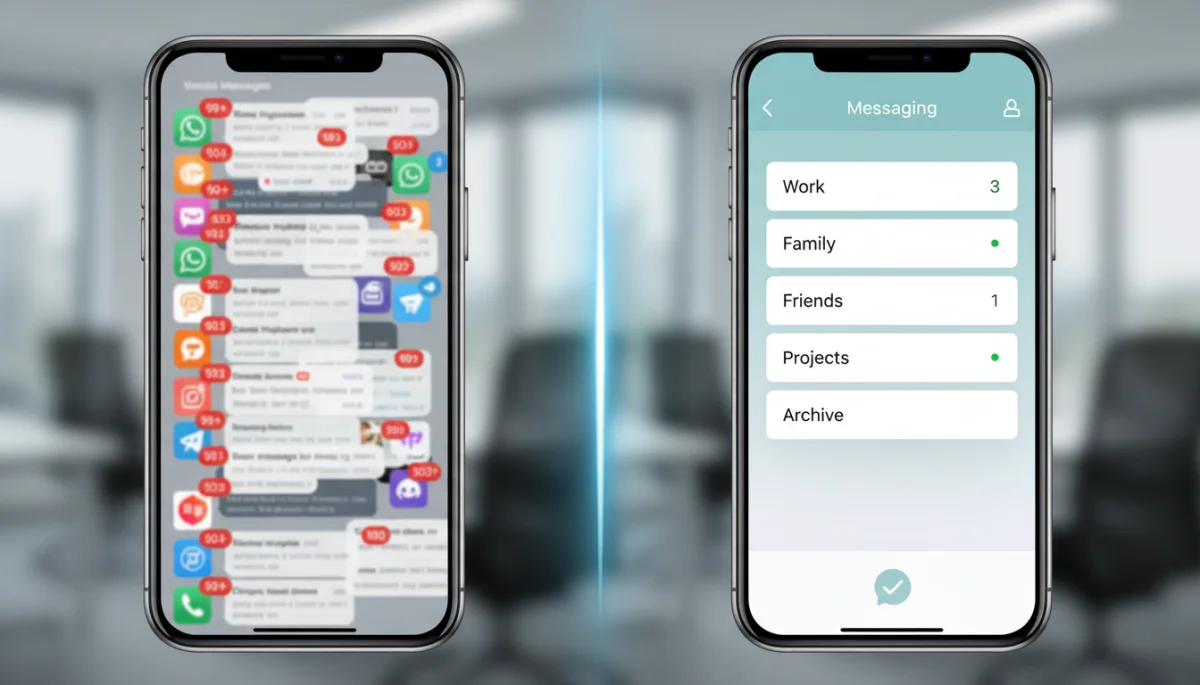
Most messaging apps offer granular control over notifications. Instead of a blanket ‘on’ or ‘off’ setting, dive into each app’s preferences to tailor alerts to your needs. Consider turning off notifications for group chats that are purely social or for channels that are not directly relevant to your immediate tasks. Prioritize alerts from direct messages or critical project channels.
- Disable badges: Remove unread count badges that create a sense of urgency.
- Mute non-essential groups: Silence notifications for chats not requiring immediate attention.
- Customize sounds: Assign distinct notification sounds for urgent messages vs. general alerts.
Beyond app settings, consider your device’s notification preferences. Utilize features like ‘Focus Modes’ or ‘Work Profiles’ that can automatically adjust notification settings based on your location, time of day, or active applications. This holistic approach ensures that your entire digital environment supports your productivity goals, minimizing unexpected interruptions and allowing for sustained periods of concentration.
Leveraging Features for Organized Communication
Modern messaging apps are packed with features designed to enhance organization and collaboration. Many users, however, only scratch the surface of these capabilities. Effectively leveraging these features can transform a chaotic inbox into a well-structured communication hub, significantly boosting productivity.
From threading conversations to pinning important messages, these tools are designed to reduce clutter and make information retrieval quicker and more efficient. Understanding and implementing these features across your preferred platforms is crucial for maintaining clarity and focus within your digital communications.
Utilizing Threads and Channels Effectively
Many professional messaging platforms offer ‘threads’ or ‘replies’ that allow you to keep related discussions organized under a single topic, preventing conversations from sprawling across the main chat. Similarly, creating dedicated channels for specific projects, teams, or topics ensures that discussions remain focused and relevant to the participants. This segmentation is key to reducing noise and making it easier to find pertinent information.
- Thread replies: Use threads to keep discussions on specific topics contained.
- Dedicated channels: Create separate channels for different projects or departments.
- Pin important messages: Highlight critical information at the top of a chat or channel for easy access.
Furthermore, features like search functionality, file sharing integrations, and task management bots can further enhance productivity. Learning to use these effectively means less time spent searching for information or switching between applications. By consolidating related activities within the messaging platform, you create a more streamlined workflow, allowing for greater focus on core tasks rather than administrative overhead.
Batching Communication and Time Blocking
One of the most powerful strategies for optimizing messaging app usage for productivity is to implement batching and time blocking. Instead of constantly reacting to every incoming message, you dedicate specific, limited time slots to check and respond to communications. This proactive approach minimizes interruptions and allows for sustained periods of focused work.
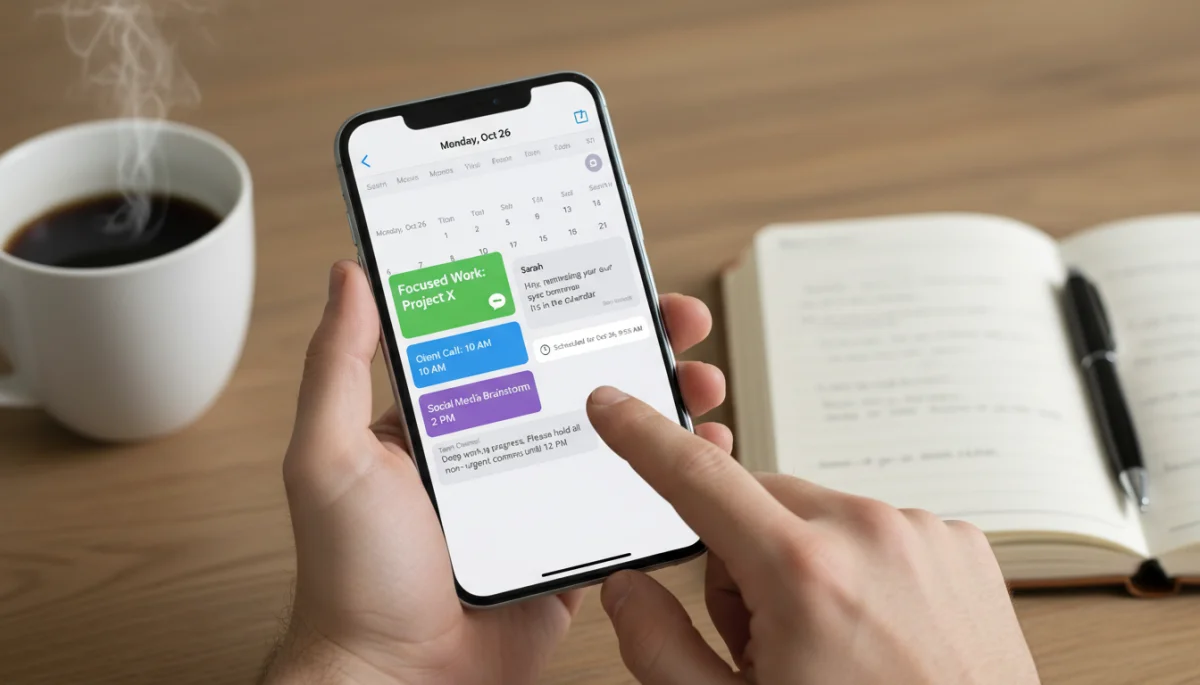
Batching communication means processing messages in groups rather than individually as they arrive. This reduces the mental overhead of context switching and allows you to address multiple inquiries efficiently. Time blocking involves scheduling these communication periods into your daily calendar, treating them as important appointments.
Implementing Dedicated Communication Slots
Set aside 2-3 specific times during your workday to check and respond to messages. For example, you might allocate 30 minutes in the morning, 30 minutes after lunch, and 15 minutes before logging off. During these blocks, you can fully immerse yourself in communication without the guilt of neglecting other tasks. Outside of these blocks, messaging apps should be closed or silenced.
- Schedule specific times: Designate 2-3 intervals daily for message processing.
- Close apps outside blocks: Ensure messaging apps are not open or notifying outside these times.
- Inform colleagues: Let your team know your communication schedule to manage expectations.
This method not only protects your focus but also encourages more thoughtful and comprehensive responses, as you’re not rushing to reply under constant pressure. It fosters a more sustainable work rhythm, where deep work and effective communication coexist rather than compete. By consciously structuring your day around these principles, you regain control over your attention and significantly boost your overall productivity.
Integrating Messaging with Other Productivity Tools
For maximum productivity, messaging apps should not operate in a vacuum. Integrating them with other essential productivity tools, such as calendar applications, project management software, and document collaboration platforms, can create a seamless and highly efficient workflow. This integration reduces the need to switch between multiple applications, saving time and minimizing mental friction.
The goal of integration is to centralize information and actions, allowing you to manage tasks, schedule meetings, and share files directly from your communication hub. This interconnected ecosystem simplifies complex workflows and ensures that critical information is always accessible where you need it most.
Connecting Messaging to Your Workflow Ecosystem
Many modern messaging apps offer robust integration capabilities with popular services. For instance, connecting your messaging app to your calendar can allow you to schedule meetings directly from a chat, sending invites to all participants with ease. Similarly, integrating with project management tools means you can receive task updates or assign new actions without leaving your communication interface.
- Calendar integration: Schedule meetings and appointments directly from chat.
- Project management links: Receive updates and assign tasks within the messaging app.
- Document collaboration: Share and co-edit documents seamlessly through integrated services.
Furthermore, leveraging bots and automation within messaging apps can automate repetitive tasks, such as sending daily reminders, summarizing channel activity, or even initiating workflows based on specific keywords. These integrations and automations create a more intelligent and responsive work environment, where administrative burdens are reduced, and focus can remain on high-value tasks. By strategically connecting your messaging apps to your broader productivity ecosystem, you build a powerful, cohesive system that supports peak efficiency.
Cultivating a Culture of Mindful Communication
Optimizing messaging app usage for productivity isn’t just about individual habits; it also requires cultivating a culture of mindful communication within teams and organizations. When everyone understands and adheres to best practices, the collective benefit is far greater than individual efforts alone. This involves establishing shared norms and promoting thoughtful interaction.
A mindful communication culture encourages clarity, conciseness, and respect for others’ time and focus. It shifts the emphasis from instant replies to considered responses, and from constant availability to intentional engagement. This collective approach fosters a more productive and less stressful digital workspace for everyone.
Establishing Team Communication Norms
Teams should collaboratively establish guidelines for messaging app usage. This could include agreeing on response times for different types of messages, defining when to use direct messages versus group chats, and outlining expectations for after-hours communication. Clearly documented norms help prevent misunderstandings and reduce the pressure to be constantly ‘on.’
- Define response expectations: Agree on acceptable response times for various message types.
- Clarify urgency protocols: Establish how to communicate truly urgent matters.
- Discourage ‘reply all’ for minor updates: Promote targeted communication to avoid noise.
Training and ongoing discussions are also crucial for reinforcing these norms. Regularly reviewing communication practices and providing feedback can help teams adapt and refine their approach. By fostering an environment where mindful communication is valued and practiced, organizations can significantly enhance collective productivity, reduce digital fatigue, and create a more focused and respectful work culture.
| Key Strategy | Brief Description |
|---|---|
| Set Boundaries | Define specific times for communication to protect focus and reduce constant interruptions. |
| Manage Notifications | Customize app alerts to receive only critical information, silencing non-essential chats. |
| Leverage App Features | Utilize threads, channels, and pins to organize conversations and streamline information flow. |
| Integrate Tools | Connect messaging apps with calendars and project tools for a unified, efficient workflow. |
Frequently Asked Questions About Messaging App Productivity
Implement ‘Do Not Disturb’ schedules during focused work hours. Customize app notifications to silence non-essential chats and only allow critical alerts. Consider batching your communication by dedicating specific times to check and respond to messages, rather than reacting instantly.
For group chats, mute notifications for less critical groups, use threads to keep discussions organized, and ensure clear purposes for each chat. Encourage team members to be concise and avoid unnecessary ‘reply all’ messages. Pin important information for easy access.
Yes, absolutely. Integrating messaging apps with calendars, project management software, and document collaboration tools reduces context switching. This allows you to schedule meetings, track tasks, and share files directly from your communication hub, streamlining workflows and saving valuable time.
Start by establishing clear team communication norms, such as agreed-upon response times and guidelines for urgent messages. Lead by example, and regularly discuss and refine these practices. Provide training on leveraging app features like threads and channels for better organization.
While consolidating can reduce app switching, the ideal approach depends on your specific needs. For work, using one primary platform with robust features is often best. For personal use, a mix might be unavoidable. The key is consistent management of notifications and boundaries across all apps you use.
Conclusion
Optimizing messaging app usage for productivity is not merely a matter of personal preference; it’s a critical skill in the contemporary digital landscape. By understanding the inherent challenges, setting clear boundaries, strategically managing notifications, and fully leveraging the organizational features of these powerful tools, individuals and teams can transform messaging apps from sources of distraction into catalysts for efficiency. Embracing batch communication, integrating with other productivity platforms, and cultivating a mindful communication culture are all essential steps toward reclaiming focus and achieving sustained productivity in an increasingly connected world. The journey to mastering digital communication is ongoing, but with these strategies, you are well-equipped to navigate it successfully.
