Protecting Your Digital Self: Securing Social Messaging
Securing your social messaging is crucial for safeguarding personal data and maintaining digital privacy in today’s interconnected online environment.
In an era where our lives are increasingly intertwined with digital communication, protecting your digital self: a guide to securing your social messaging has become not just advisable, but absolutely essential. Every message sent, every photo shared, and every conversation held through social messaging platforms contributes to our digital footprint, making us vulnerable if proper precautions aren’t taken. This comprehensive guide will walk you through the necessary steps to fortify your online communications and ensure your privacy.
Understanding the Landscape of Social Messaging Security
The digital world offers unparalleled convenience, but it also presents a complex landscape of security challenges. Social messaging applications, while connecting us globally, are often targets for cybercriminals seeking personal information, financial data, or even identity theft. Understanding the inherent risks is the first step toward effective protection.
Many users assume their conversations are private by default, but this is not always the case. Data can be intercepted, accounts can be hacked, and personal information can be exploited if you’re not proactive about your security settings. Recognizing these vulnerabilities empowers you to take control.
Common Threats to Social Messaging
- Phishing Attacks: Deceptive messages designed to trick you into revealing sensitive information.
- Malware and Spyware: Malicious software that can be spread through links or attachments, compromising your device.
- Account Takeovers: Unauthorized access to your messaging accounts, often due to weak passwords or compromised credentials.
- Data Breaches: Incidents where personal data stored by messaging services is exposed due to security flaws.
By staying informed about these prevalent threats, you can better identify and mitigate potential dangers. Awareness is a powerful tool in the fight for digital security, enabling you to recognize suspicious activity and react appropriately to protect your digital self.
Implementing Strong Authentication Practices
One of the most fundamental yet often overlooked aspects of securing your social messaging is implementing robust authentication methods. Your password is the first line of defense, but in today’s threat landscape, it’s rarely enough on its own. Layering security through multi-factor authentication significantly enhances protection against unauthorized access.
Many messaging apps now offer advanced security features beyond a simple password. Activating these features is crucial for creating a robust barrier around your personal communications. It’s about making it as difficult as possible for malicious actors to gain entry.
Two-Factor Authentication (2FA) Explained
Two-factor authentication adds an extra layer of security by requiring two different forms of identification before granting access to your account. This typically involves something you know (your password) and something you have (a code sent to your phone or generated by an authenticator app).
- SMS-based 2FA: A code is sent to your registered phone number. While convenient, it can be vulnerable to SIM-swapping attacks.
- Authenticator Apps: Apps like Google Authenticator or Authy generate time-sensitive codes, offering a more secure alternative to SMS.
- Hardware Security Keys: Physical devices that plug into your computer or phone, providing the highest level of 2FA security.
Always prioritize activating 2FA on all your social messaging accounts. Even if your password is compromised, the additional factor will prevent unauthorized access, keeping your conversations and data secure. Regularly reviewing and updating your authentication methods is also a good practice.
Leveraging End-to-End Encryption (E2EE)
End-to-end encryption is the gold standard for private communication, ensuring that only the sender and intended recipient can read the messages. Not even the service provider can access the content of your conversations. This technology is paramount for protecting your digital self: a guide to securing your social messaging, as it guarantees the privacy of your most sensitive exchanges.
While many popular messaging apps now offer E2EE by default, it’s important to verify that it’s active for all your communications. Some apps may only offer it for certain types of chats or require manual activation. Always confirm this setting for maximum privacy.
How E2EE Works
When E2EE is active, your messages are encrypted on your device before they are sent. They remain encrypted as they travel through the internet and are only decrypted once they reach the recipient’s device. This means that if intercepted, the messages appear as unreadable gibberish.
Platforms like Signal, WhatsApp (for individual and group chats), and Threema are well-known for their strong E2EE implementations. Familiarize yourself with the encryption status of your preferred apps and choose those that prioritize user privacy.
Understanding and utilizing end-to-end encryption is a critical step in safeguarding your digital communications. It provides peace of mind, knowing that your private conversations truly remain private, away from prying eyes, including those of the service providers themselves.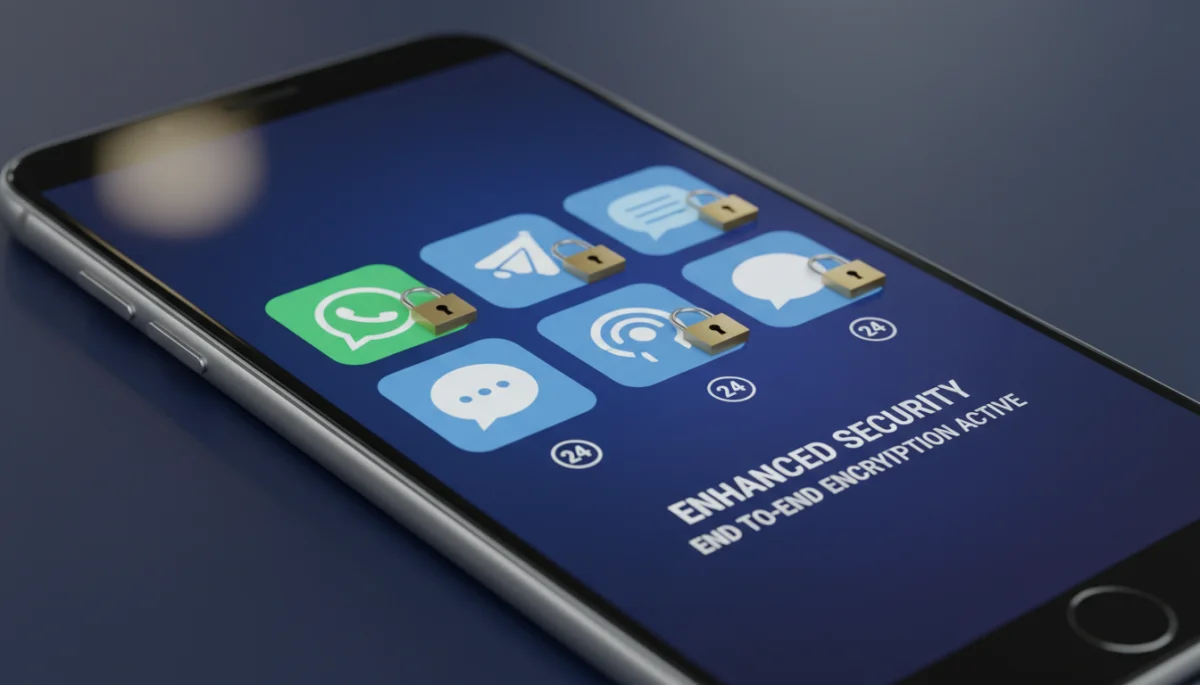
Managing Privacy Settings and Permissions
Beyond encryption and authentication, the privacy settings within your social messaging apps play a significant role in your overall digital security. Many apps collect vast amounts of user data, and how you configure these settings directly impacts what information is shared and with whom. Taking the time to review and adjust these settings is a non-negotiable step for protecting your digital self: a guide to securing your social messaging.
Default settings often prioritize convenience over privacy, meaning you might be sharing more data than you intend. Proactively customizing these options allows you to fine-tune your digital exposure and control access to your personal information.
Key Privacy Settings to Review
- Visibility of Profile Information: Control who can see your profile picture, ‘last seen’ status, and ‘about’ information.
- Read Receipts: Decide whether others can see when you’ve read their messages.
- Location Sharing: Disable automatic location sharing to prevent others from tracking your whereabouts.
- Contact Syncing: Be cautious about allowing apps to sync your entire contact list, as this shares your contacts’ information with the service.
- App Permissions: Regularly review the permissions granted to each app (e.g., access to camera, microphone, storage) and revoke any that are unnecessary.
By diligently managing your privacy settings, you create a more secure and controlled environment for your social messaging interactions. This proactive approach helps minimize your digital footprint and reduces the risk of unwanted data exposure.
Practicing Safe Digital Habits and Awareness
Technology alone cannot guarantee complete security; user behavior is equally, if not more, important. Developing safe digital habits and maintaining a high level of awareness are crucial components of protecting your digital self: a guide to securing your social messaging. This involves being vigilant about the content you interact with and the information you share.
Cybercriminals often exploit human psychology through social engineering tactics. Recognizing these attempts is vital to avoiding traps that can compromise your accounts or personal data. A healthy dose of skepticism can go a long way in preventing security incidents.
Essential Safe Digital Habits
- Think Before You Click: Be extremely wary of suspicious links, even if they appear to come from a known contact. Verify the sender and the context before clicking.
- Avoid Sharing Sensitive Information: Never share passwords, credit card details, or other highly sensitive personal information via messaging apps, especially if unencrypted.
- Use Strong, Unique Passwords: Employ a password manager to create and store complex, unique passwords for each of your accounts.
- Keep Software Updated: Regularly update your messaging apps and operating system to benefit from the latest security patches.
- Be Mindful of Public Wi-Fi: Avoid accessing sensitive accounts or sending private messages over unsecured public Wi-Fi networks, as they can be easily intercepted.
Cultivating these habits transforms you into a more resilient digital citizen, capable of navigating the online world with greater confidence and significantly reducing your vulnerability to cyber threats. Your personal vigilance is your strongest defense.
Securing Your Device and Network
While the focus is often on messaging apps themselves, the security of your underlying device and network is equally critical. A compromised device or an insecure network connection can undermine even the strongest app-level security measures. Therefore, a holistic approach to protecting your digital self: a guide to securing your social messaging must include securing your entire digital ecosystem.
Think of your device and network as the foundation upon which your messaging security rests. If the foundation is weak, the entire structure is at risk. Ensuring their integrity provides a robust environment for your communications.
Device and Network Security Best Practices
- Lock Your Device: Use strong passcodes, PINs, fingerprint, or facial recognition to prevent unauthorized access to your phone or tablet.
- Install Antivirus/Anti-Malware: For Android devices and computers, use reputable security software to detect and remove malicious threats.
- Encrypt Your Device Storage: Enable full-disk encryption on your phone or computer to protect data if your device is lost or stolen.
- Use a VPN on Public Networks: A Virtual Private Network (VPN) encrypts your internet traffic, providing a secure tunnel when using public Wi-Fi.
- Secure Your Home Wi-Fi: Change your router’s default password, use WPA3 encryption if available (WPA2 minimum), and disable remote access features if not needed.
By securing your devices and networks, you create a comprehensive defense strategy that protects your social messaging from a wider range of threats. This layered security approach is essential for maintaining privacy and preventing unauthorized access to your digital life.
Choosing Privacy-Focused Messaging Applications
Not all messaging apps are created equal when it comes to privacy and security. The choice of platform significantly impacts how well you can achieve protecting your digital self: a guide to securing your social messaging. Opting for applications that are built with privacy as a core principle can drastically reduce your exposure to data collection and potential breaches.
While convenience often drives app adoption, it’s crucial to weigh that against the level of privacy and security offered. Investing time in researching and selecting the right tools is a worthwhile endeavor for your digital well-being.
Factors to Consider When Choosing an App
- End-to-End Encryption (E2EE): Is it enabled by default for all communications?
- Open Source: Is the app’s code open for public review, allowing security experts to scrutinize it for vulnerabilities?
- Data Collection Policies: What kind of data does the app collect, and how is it used? Look for apps with minimal data retention.
- Independent Security Audits: Has the app undergone and passed independent security audits?
- Company’s Business Model: Does the company rely on advertising or selling user data, or is it funded through donations or subscriptions?
Apps like Signal are frequently recommended for their strong privacy features, open-source code, and commitment to user security. While switching platforms can be challenging, migrating to more privacy-centric options is a powerful step in securing your digital self. Making informed choices about your messaging tools is a critical part of a comprehensive security strategy.
| Key Security Aspect | Brief Description |
|---|---|
| Strong Authentication | Implement Two-Factor Authentication (2FA) for all accounts to add an extra layer of security beyond just a password. |
| End-to-End Encryption | Ensure your messaging apps use E2EE to guarantee only sender and recipient can read messages, protecting privacy. |
| Privacy Settings Management | Regularly review and adjust app privacy settings to control data sharing and minimize your digital footprint. |
| Secure Device & Network | Protect your phone/computer with strong locks and use secure networks (VPNs) to prevent broader compromise. |
Frequently Asked Questions About Social Messaging Security
End-to-end encryption ensures that only the sender and intended recipient can read messages. This means that even the messaging service provider cannot access your conversations, offering a superior level of privacy and preventing eavesdropping or data interception by third parties.
2FA adds a second layer of security beyond your password. It typically requires something you know (password) and something you have (code from phone or app). Yes, you should absolutely use it on all accounts; it significantly reduces the risk of unauthorized access.
If your phone is stolen, messages could be accessed if your device is unlocked and not encrypted. Strong device passcodes, fingerprint/face ID, and device encryption are crucial. Additionally, remote wipe features can help protect data in such an event.
While free VPNs can seem appealing, many compromise privacy by collecting and selling user data or having weaker security. For true security in messaging, it’s generally recommended to use reputable, paid VPN services that have clear no-logging policies and strong encryption protocols.
It’s advisable to review your app privacy settings regularly, at least once every few months, or whenever an app receives a major update. App developers sometimes change default settings, and staying informed ensures your preferences for data sharing remain consistent.
Conclusion
In an increasingly digital world, the importance of protecting your digital self: a guide to securing your social messaging cannot be overstated. By diligently implementing strong authentication, leveraging end-to-end encryption, meticulously managing privacy settings, practicing safe digital habits, securing your devices and networks, and choosing privacy-focused applications, you build a robust defense around your online communications. Taking these proactive steps empowers you to navigate the social messaging landscape with greater confidence and peace of mind, ensuring your personal conversations and data remain truly private. Your digital well-being is a continuous journey that requires vigilance and informed choices.
