
Protecting Your Digital Self: Securing Social Messaging
This guide provides essential strategies and practical tips for securing your social messaging, focusing on protecting your privacy and digital identity in an increasingly connected world.

Expert Review: Signal’s Encrypted Calling Features
Signal's encrypted calling features provide robust end-to-end encryption, ensuring private and secure voice and video communications, making it a top choice for privacy-conscious users seeking reliable and high-quality secure conversations.

Leading Entertainment Messaging Apps: Boost User Engagement
This article delves into the leading entertainment messaging apps, examining how they captivate users and sustain high engagement. We'll explore key features, emerging trends, and effective strategies for maximizing user interaction within these dynamic platforms.

Element Messenger Security: Expert Review of Enhancements
This expert review delves into Element Messenger's recent security enhancements, analyzing their impact on user privacy and data protection, and assessing how these updates position Element in the competitive secure messaging market.

User Feedback on Entertainment Apps: Driving Innovation
User feedback on entertainment apps is crucial for developers to understand user preferences, identify areas for improvement, and continuously innovate, ensuring a dynamic and engaging experience that retains and attracts users.
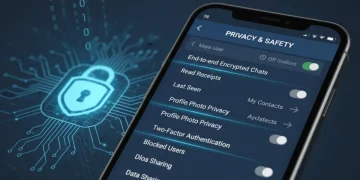
Advanced Privacy Settings: Unlock Protections in Messaging Apps
Discover how to leverage advanced privacy settings in your go-to messaging applications to enhance security and safeguard your personal data. This guide provides essential steps and insights for a more private digital communication experience.

Review: New Features in Google Messages for Android Users
Google Messages continues to evolve, bringing a suite of powerful new features to Android users. This review delves into the significant updates, including enhanced RCS, improved privacy settings, and innovative communication tools, designed to elevate your messaging experience.

Reducing Project Delays: Proactive Communication App Usage
Proactive communication app usage is essential for reducing project delays by fostering real-time collaboration, clear information exchange, and swift problem resolution, ensuring projects stay on schedule and within budget.

Staying Ahead of Cybercriminals: Key Messaging App Security
Staying ahead of cybercriminals necessitates understanding key security updates in messaging apps, which are crucial for protecting personal data and communications from evolving digital threats, ensuring user privacy and data integrity.

Detailed Review: LINE App’s AI Stickers and Effects Explored
This review delves into LINE App's AI stickers and effects, examining their innovative features and user experience. We explore how these AI-powered tools are transforming digital communication, offering users unique and engaging ways to express themselves within the messaging platform.